
Engineering · Raspberry Pi · Projects
Raspberry Pi Project Library
Pick a project, see the circuit, then run it and change it.
47 projects, from blinking an LED to home automation and PLC-style industrial logic. Each one has a picture of the circuit with its power supply, the wiring pin by pin, real Python code, what to learn, and a parts list with buy links. The Open in the simulator button loads the project into the Raspberry Pi Simulator with everything wired.
Outputs3
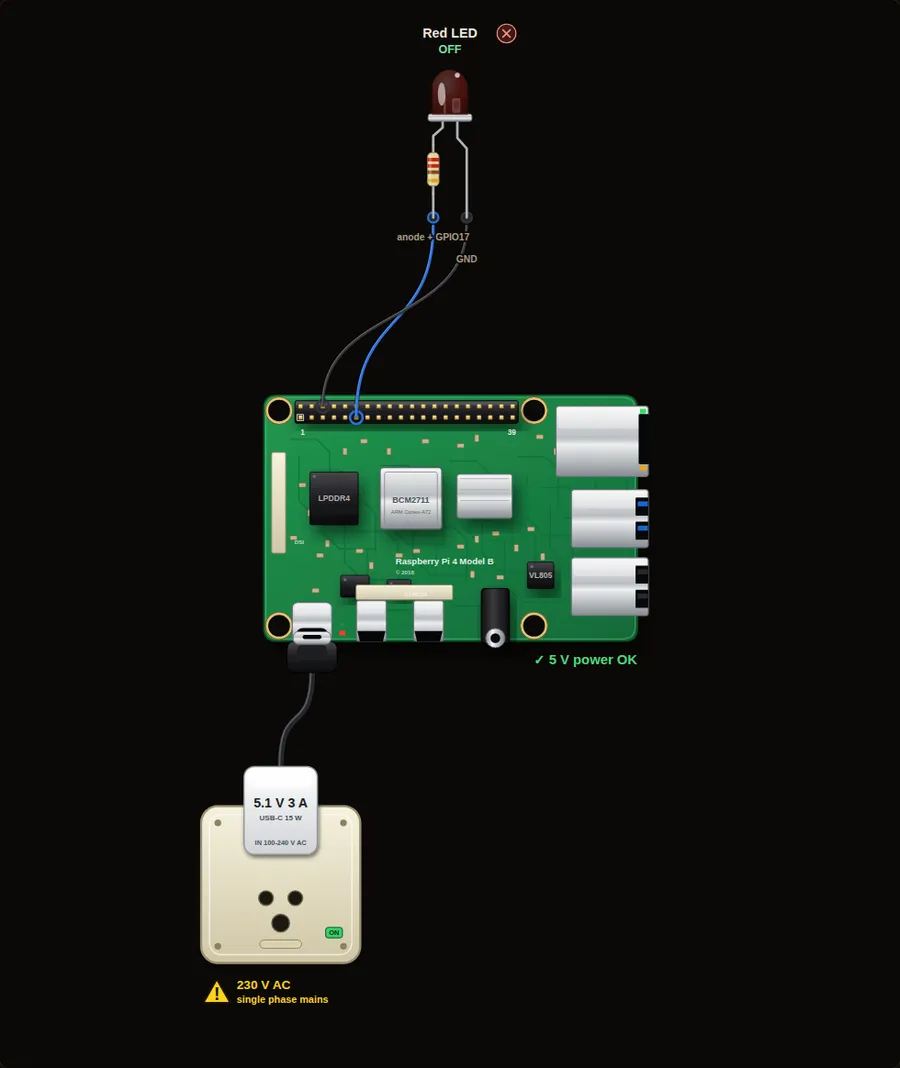 Start here1. Blink an LEDThe "hello world" of electronics. Switch an LED on and off once a second and see how Python talks to a GPIO pin.Open project →
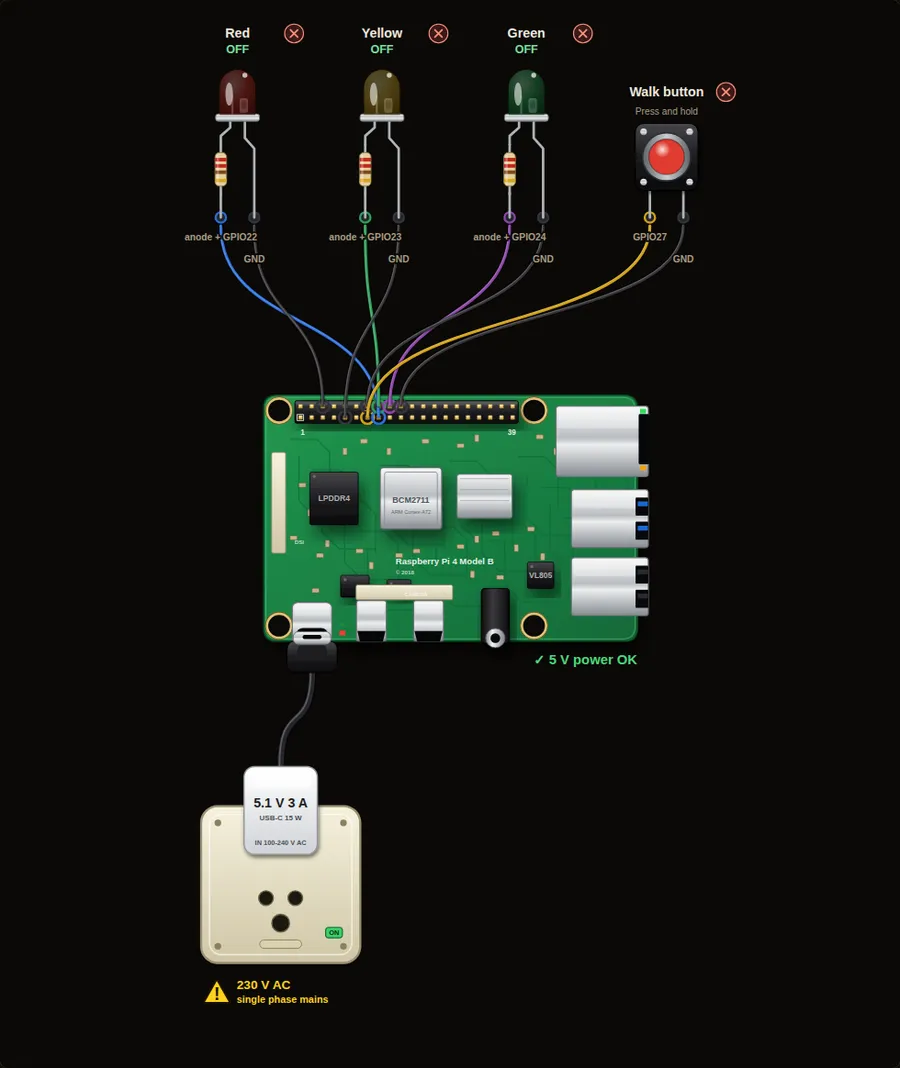 Beginner3. Traffic light with a walk buttonThree LEDs run a traffic cycle. The light waits on green until a pedestrian presses the walk button.Open project →
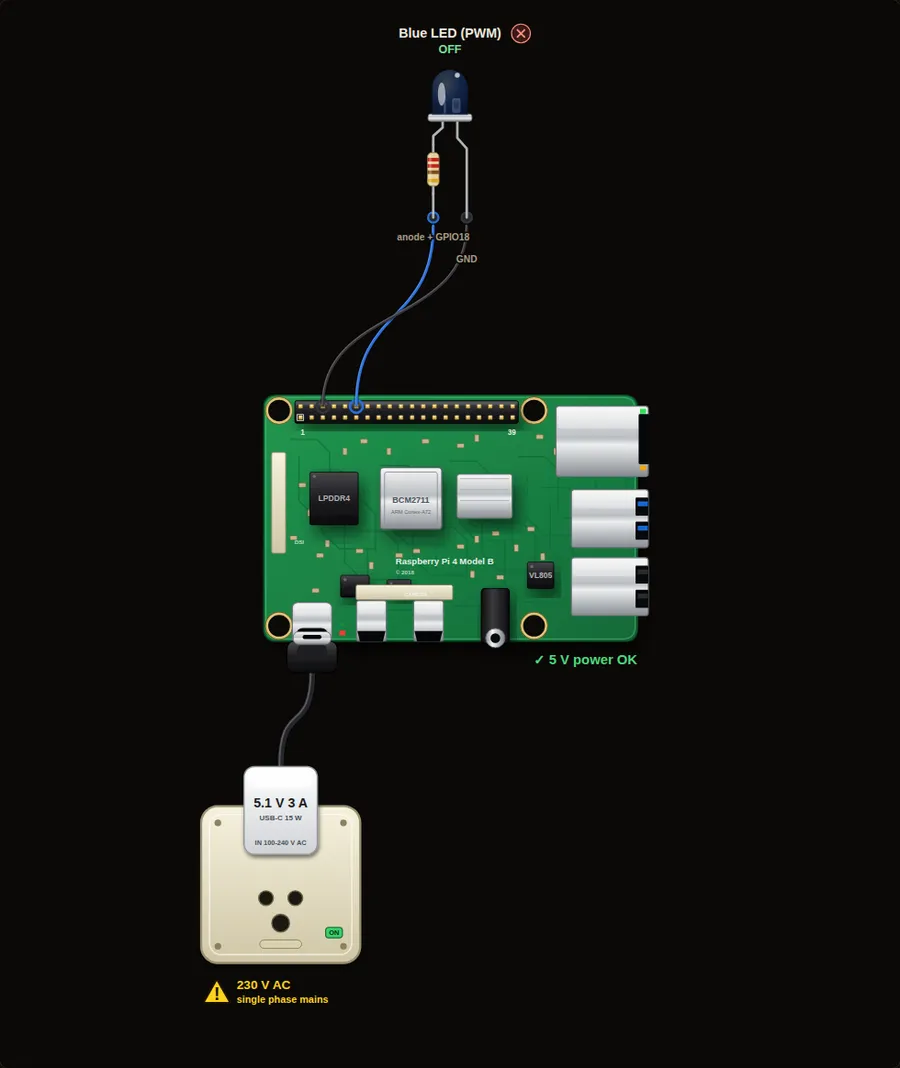 Beginner7. Dimmer and breathing LED (PWM)PWM switches a pin on and off very fast to fake brightness. First step the LED up and down, then make it breathe.Open project →
Inputs2
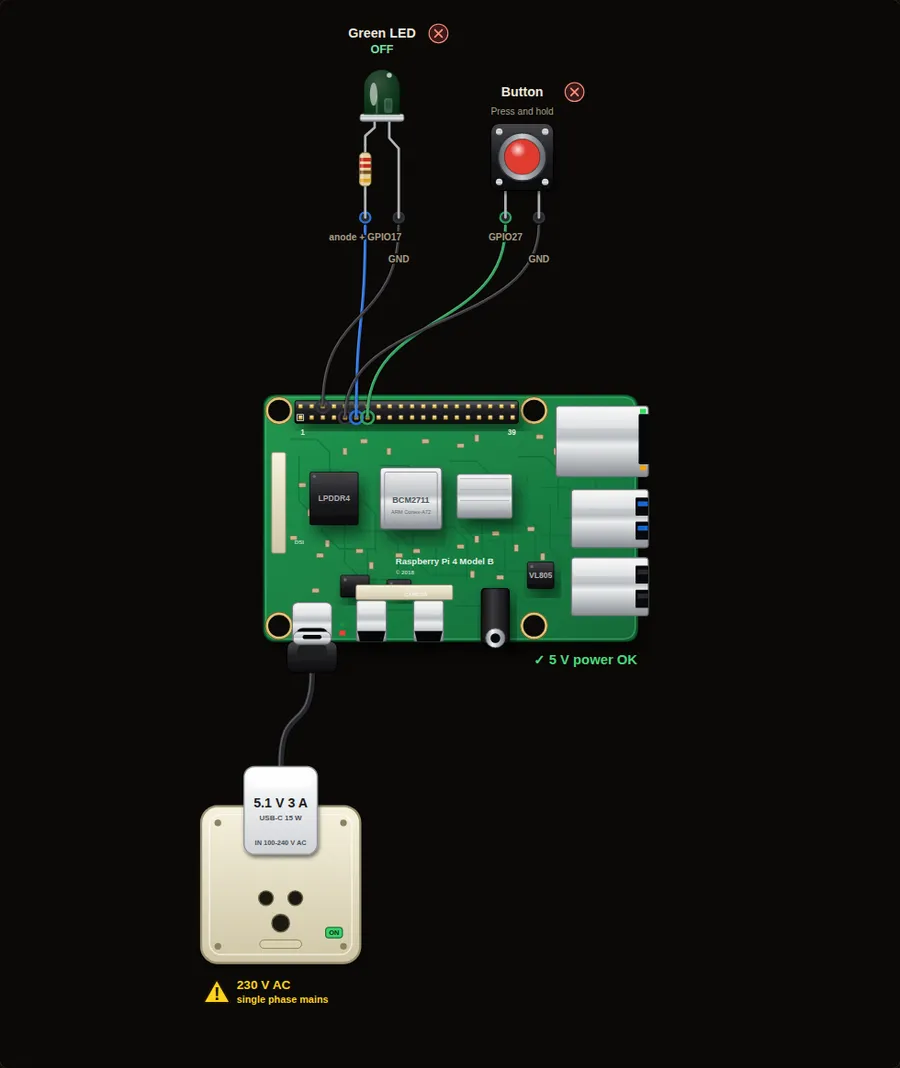 Beginner2. Button controls an LEDRead a pushbutton and let it switch an LED. This is the base of every operator panel and every machine start button.Open project →
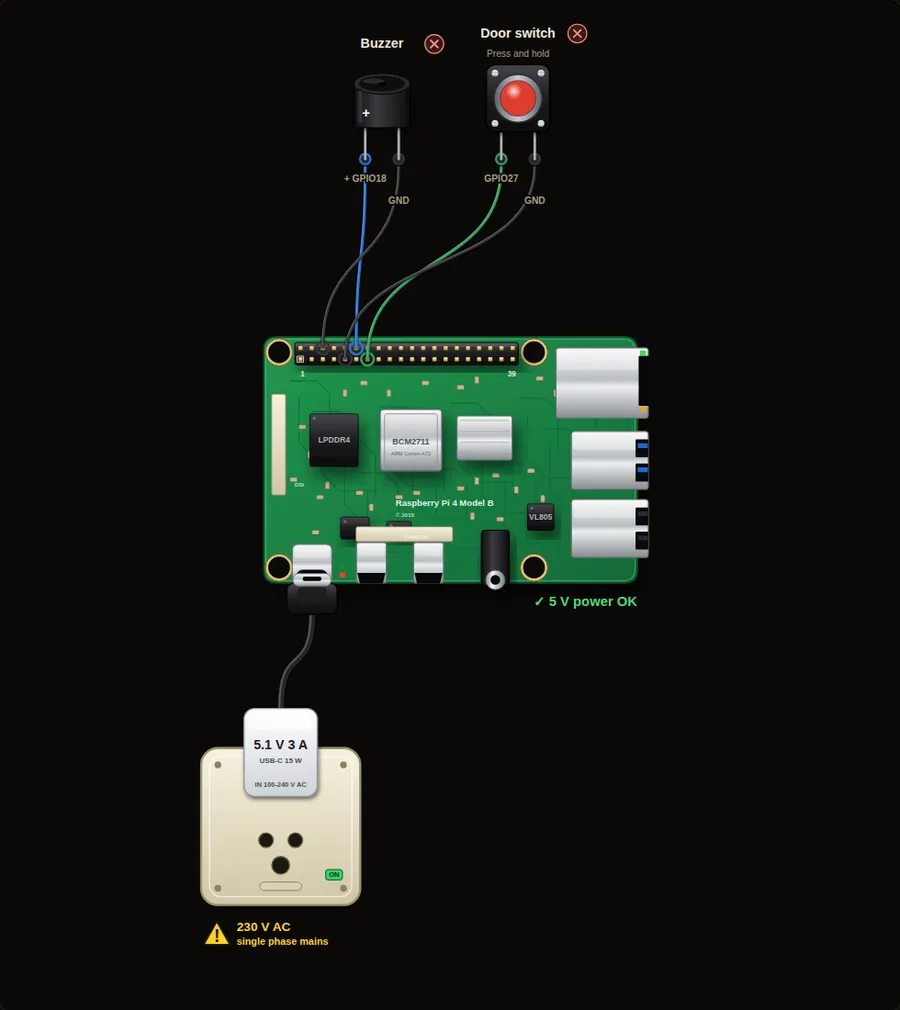 Beginner4. Door alarm with a buzzerA buzzer beeps while a door switch is open. You learn to wait for an input and to run a beep in the background.Open project →
Sensors4
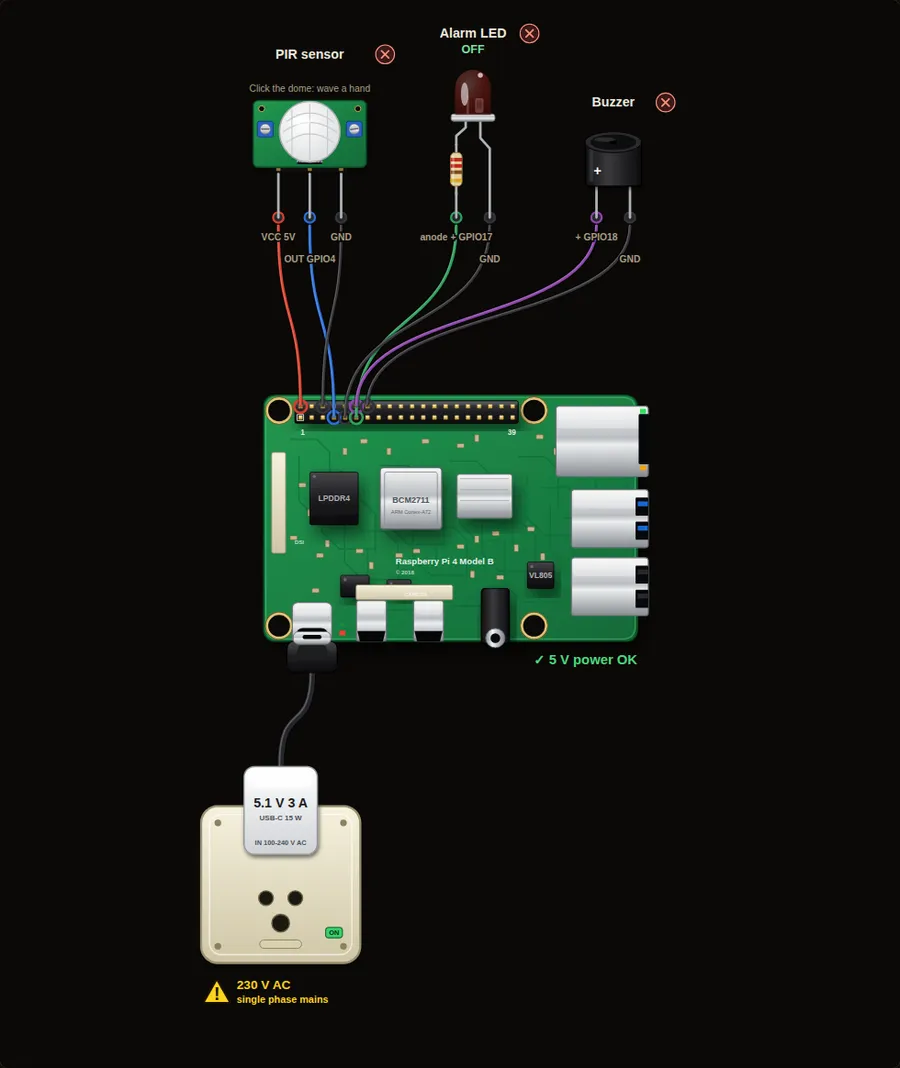 Beginner5. Motion alarm with a PIR sensorA PIR sensor sees body heat moving. When it triggers, an LED lights and the buzzer beeps five times.Open project →
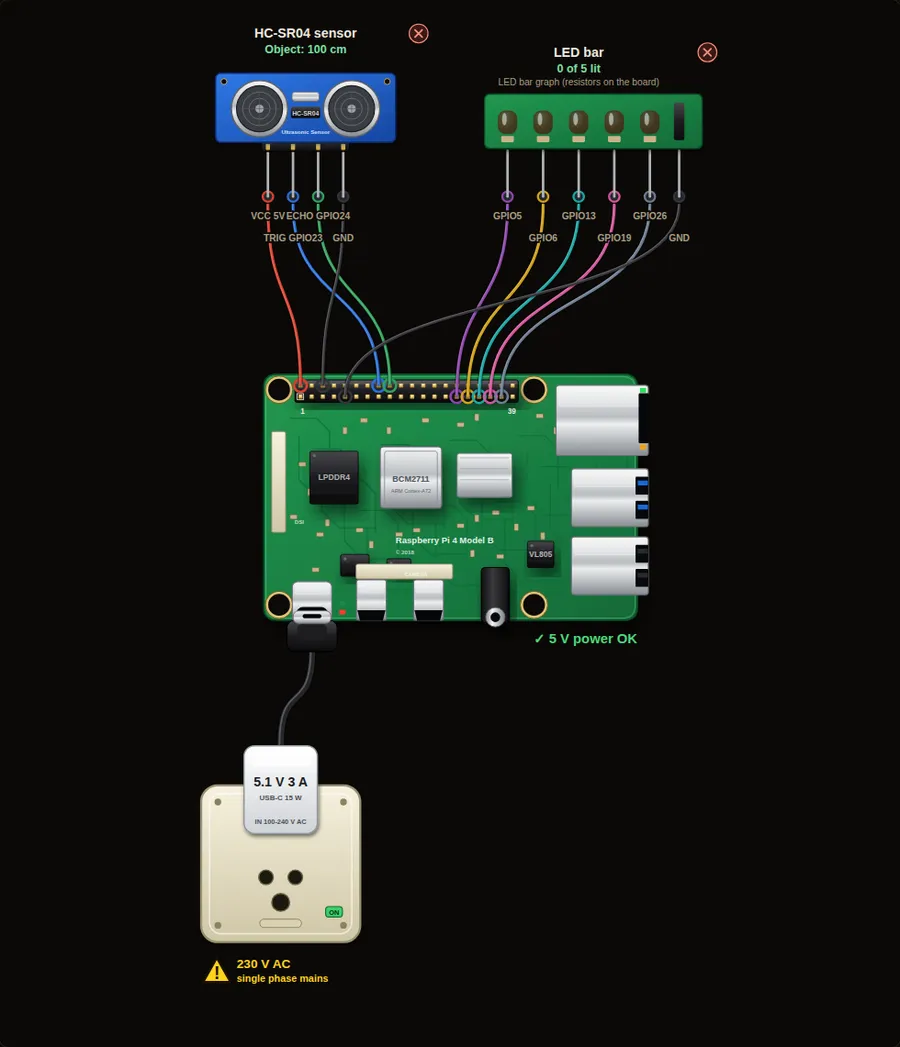 Beginner6. Distance meter with an LED barAn ultrasonic sensor measures distance. The closer your hand, the more LEDs light up, like a car parking sensor.Open project →
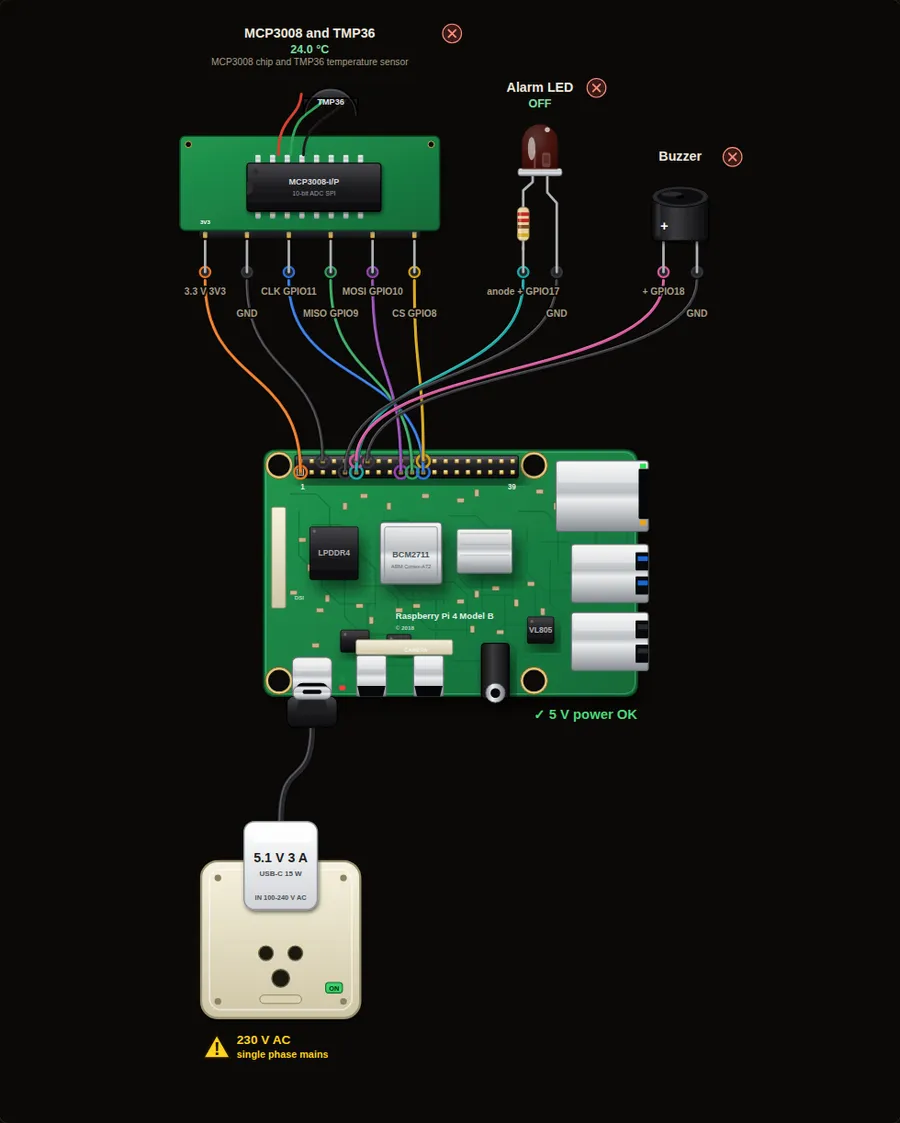 Intermediate10. Temperature alarm with an analog sensorThe Pi has no analog inputs, so an MCP3008 chip turns a TMP36 temperature sensor into numbers. An LED and buzzer warn above 30 degrees C.Open project →
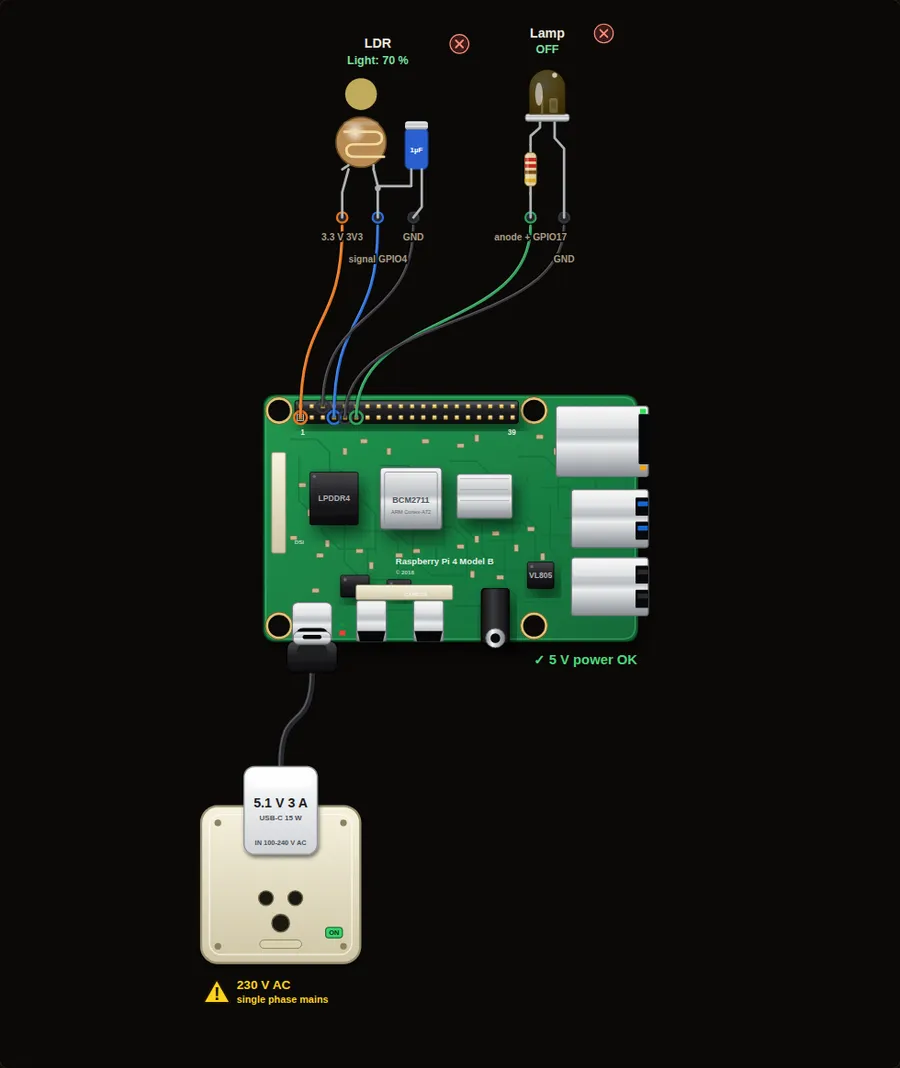 Beginner11. Automatic night lampA light sensor (LDR) switches a lamp on when it gets dark. It is the idea behind street lights and automatic machine lighting.Open project →
Motion2
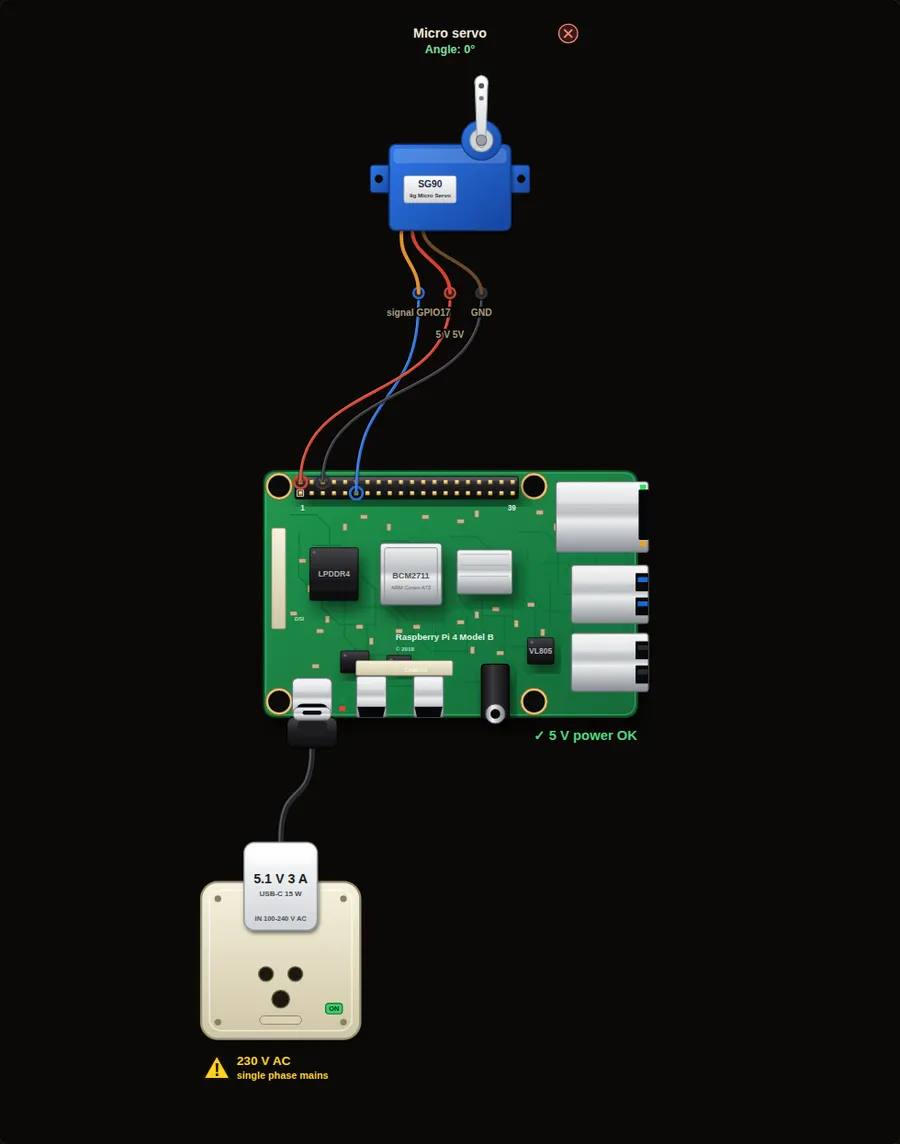 Beginner8. Servo motor sweepA hobby servo turns to an angle you choose. Step it through left, centre and right like a radar or a robot arm joint.Open project →
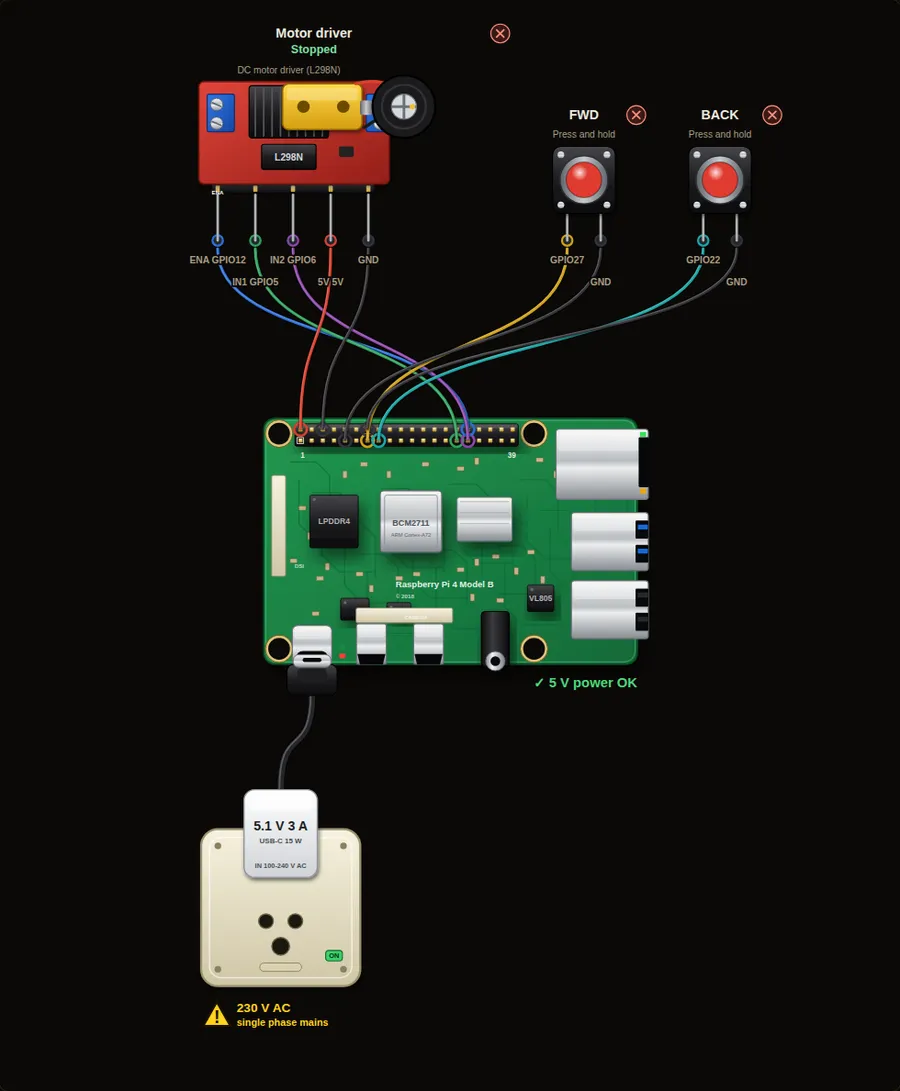 Beginner9. DC motor with an H-bridgeDrive a small DC motor forward and backward through a motor driver board. The same wiring idea runs robot cars.Open project →
Games and logic5
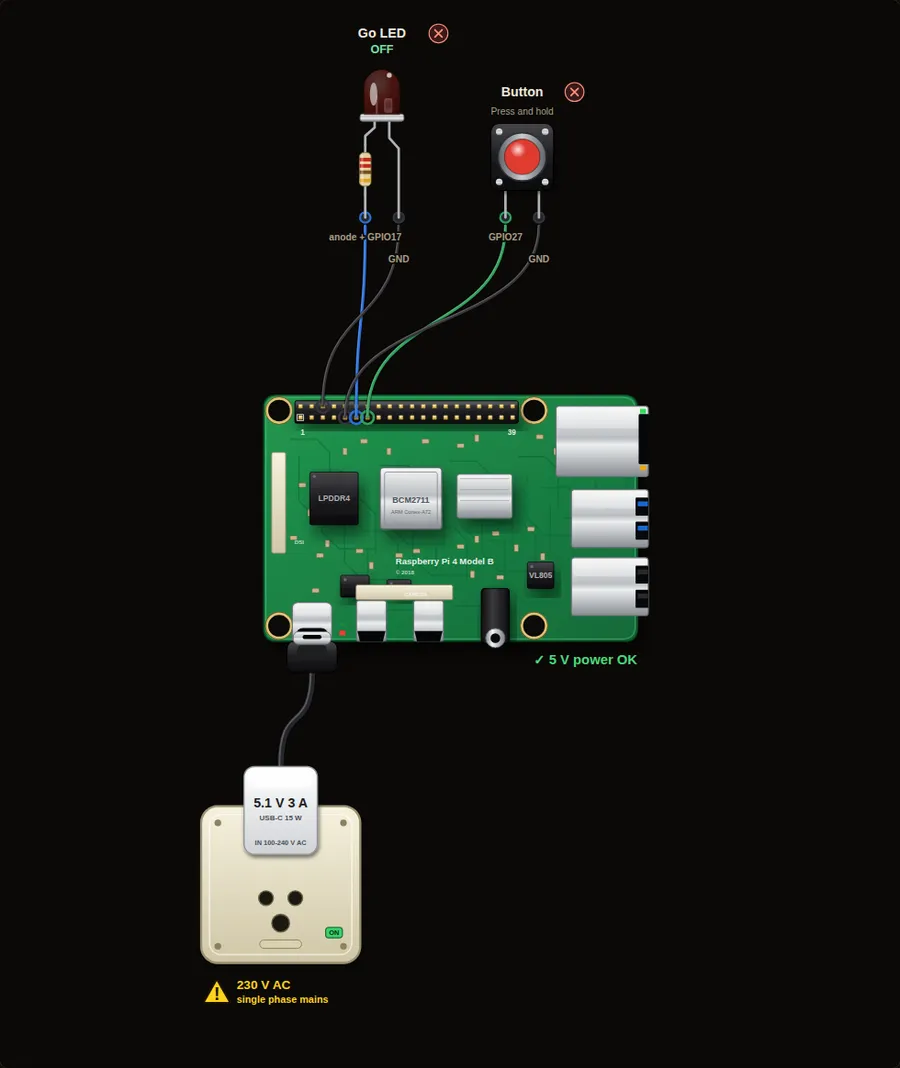 Beginner12. Reaction time gameWait for the LED to light, then hit the button as fast as you can. The Pi measures your reaction time in milliseconds.Open project →
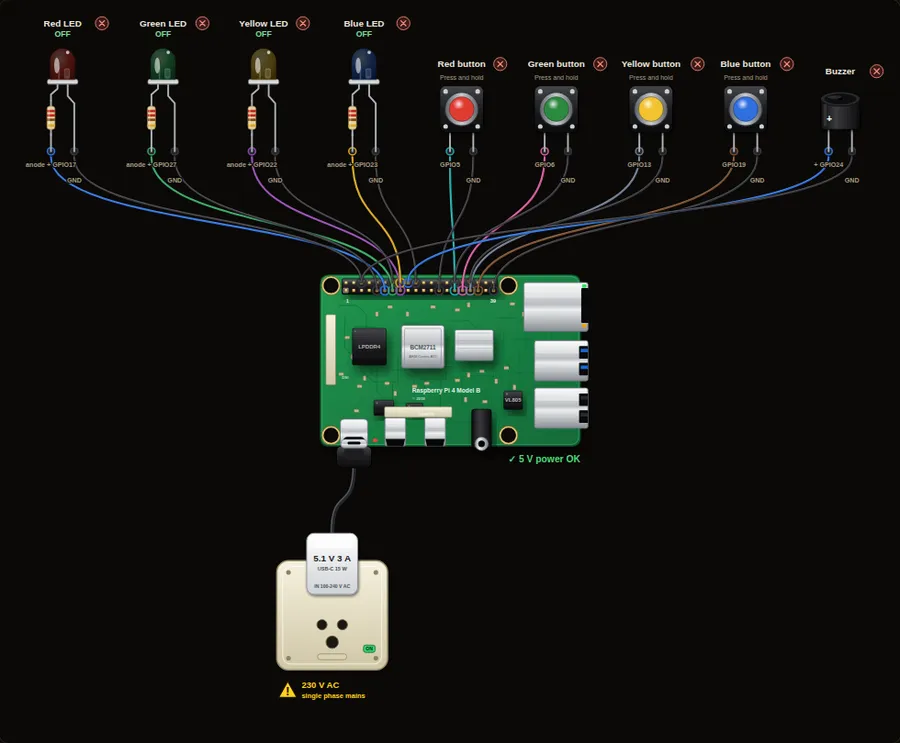 Intermediate37. Simon memory gameWatch the LEDs flash in a pattern, then repeat it with the buttons. Each round adds one more step. How far can you go?Open project →
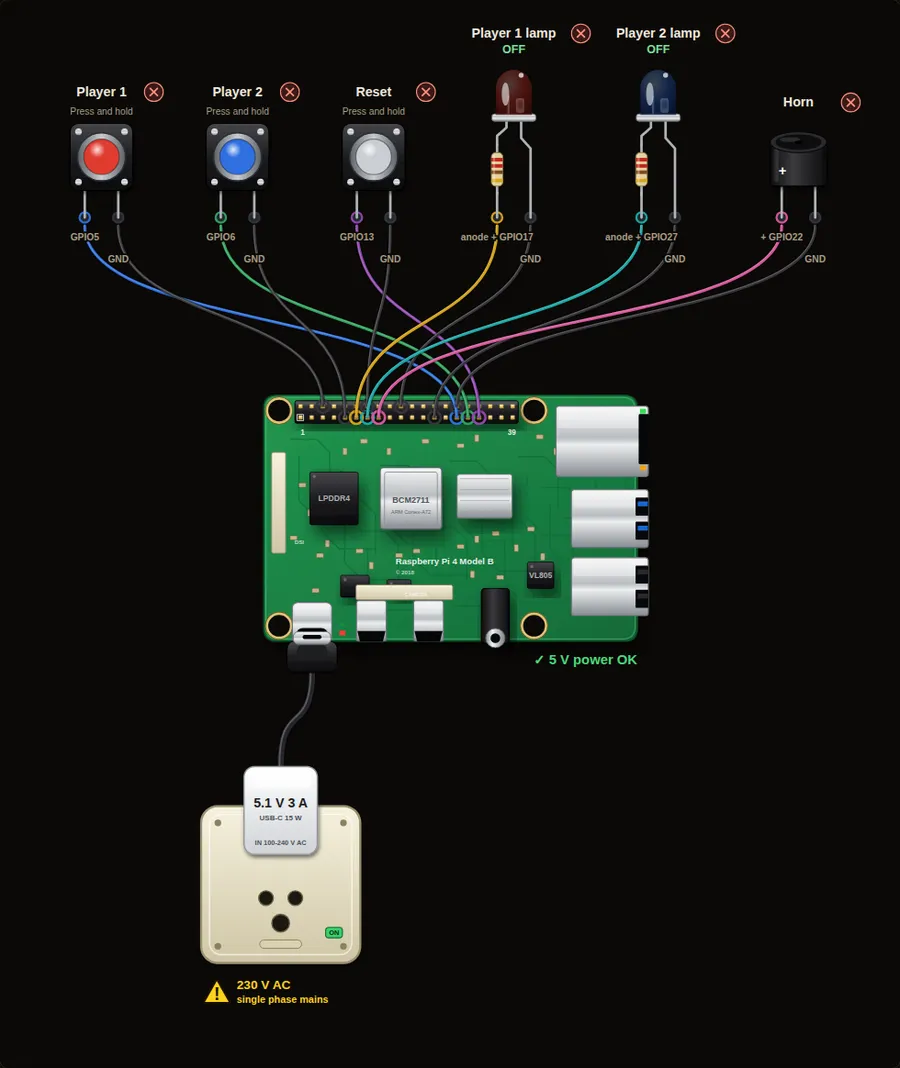 Beginner38. Quiz buzzer for two teamsTwo players, one buzzer each. The first one to press wins: their lamp lights, a beep sounds and the other player is locked out until you reset.Open project →
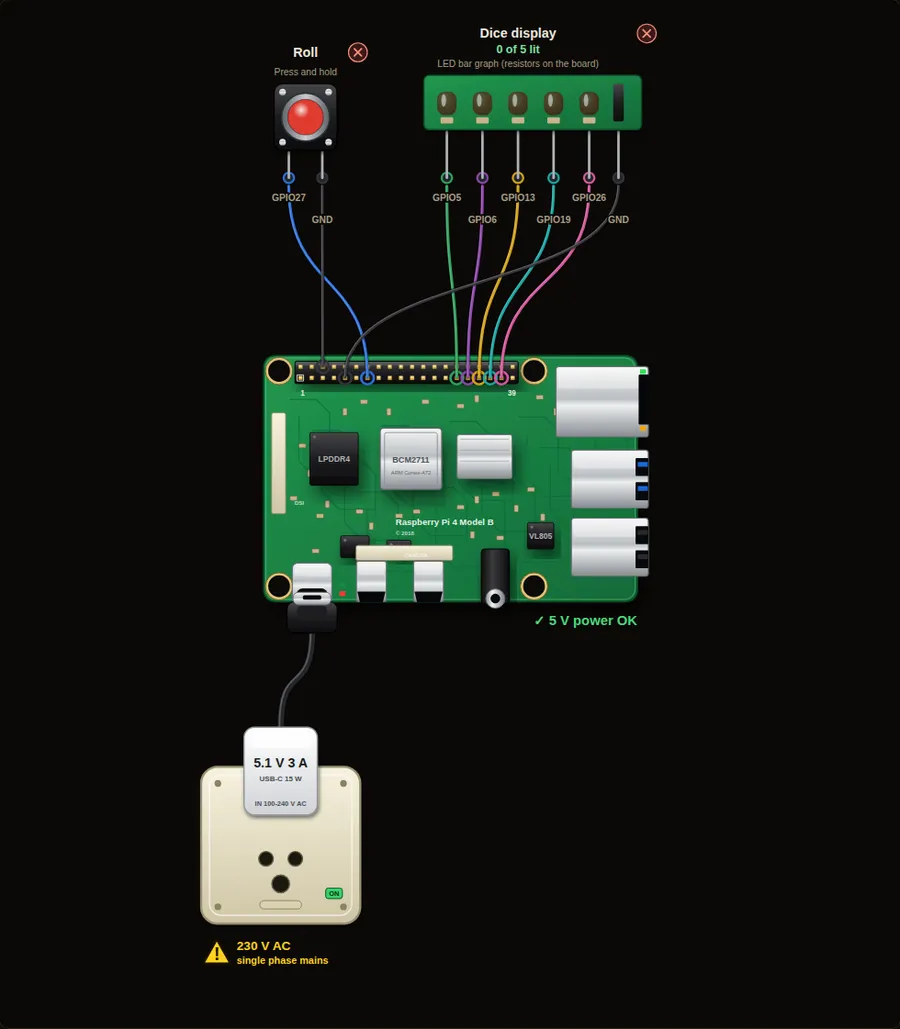 Beginner39. Electronic dice on an LED barPress the button and the LED bar races, then stops on a random number from 1 to 5. A small step into random numbers.Open project →
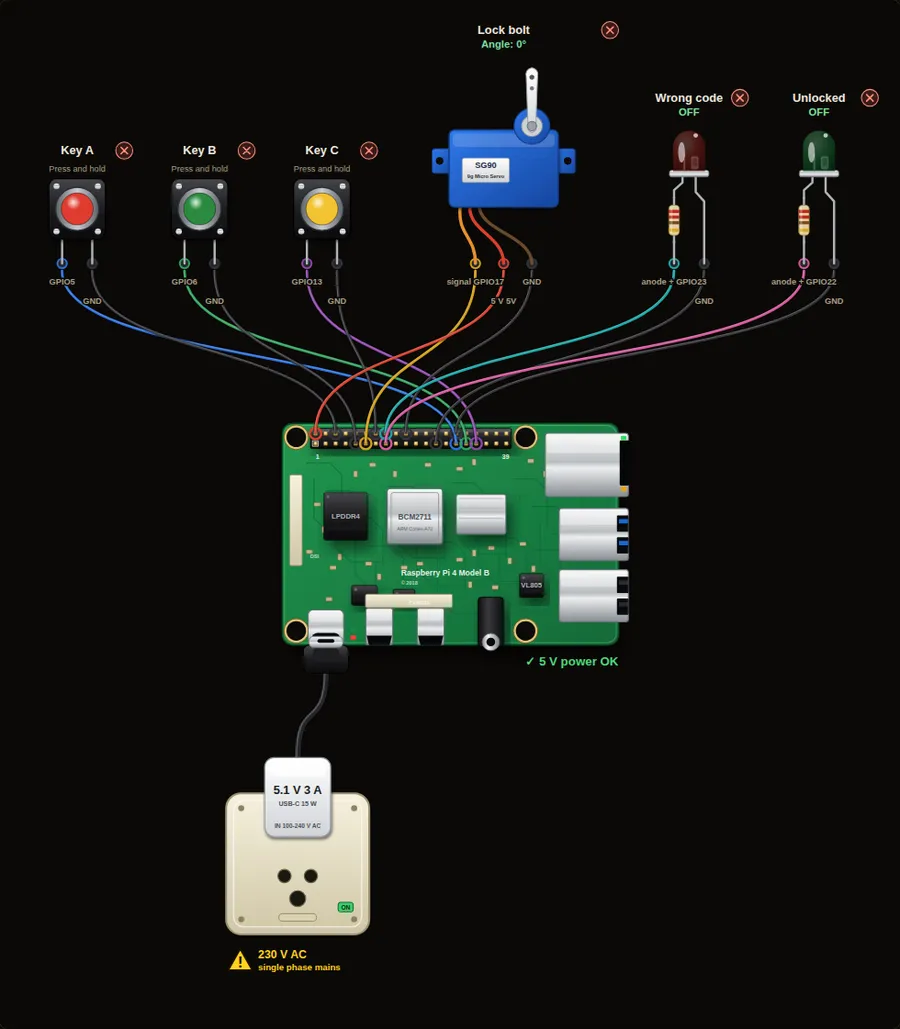 Intermediate40. Button code lockEnter a four-key code on three buttons. The right code turns the servo bolt for five seconds. A wrong code flashes the red lamp and counts a failed try.Open project →
Home automation6
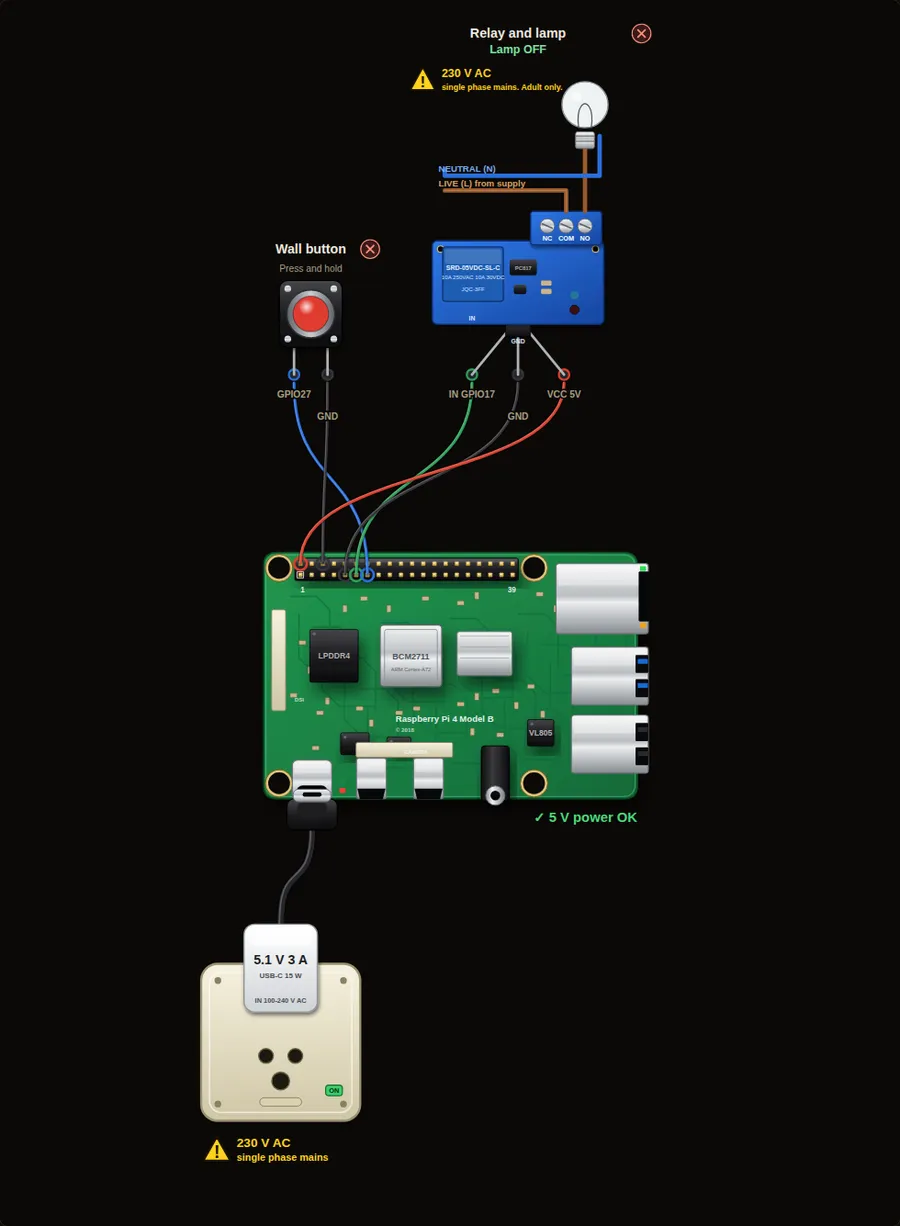 Beginner13. Wall switch with a relayA Pi pin cannot power a lamp. A relay board is an electric switch that the Pi pin controls. Press the button to switch a lamp on and off, like a smart wall switch.Open project →
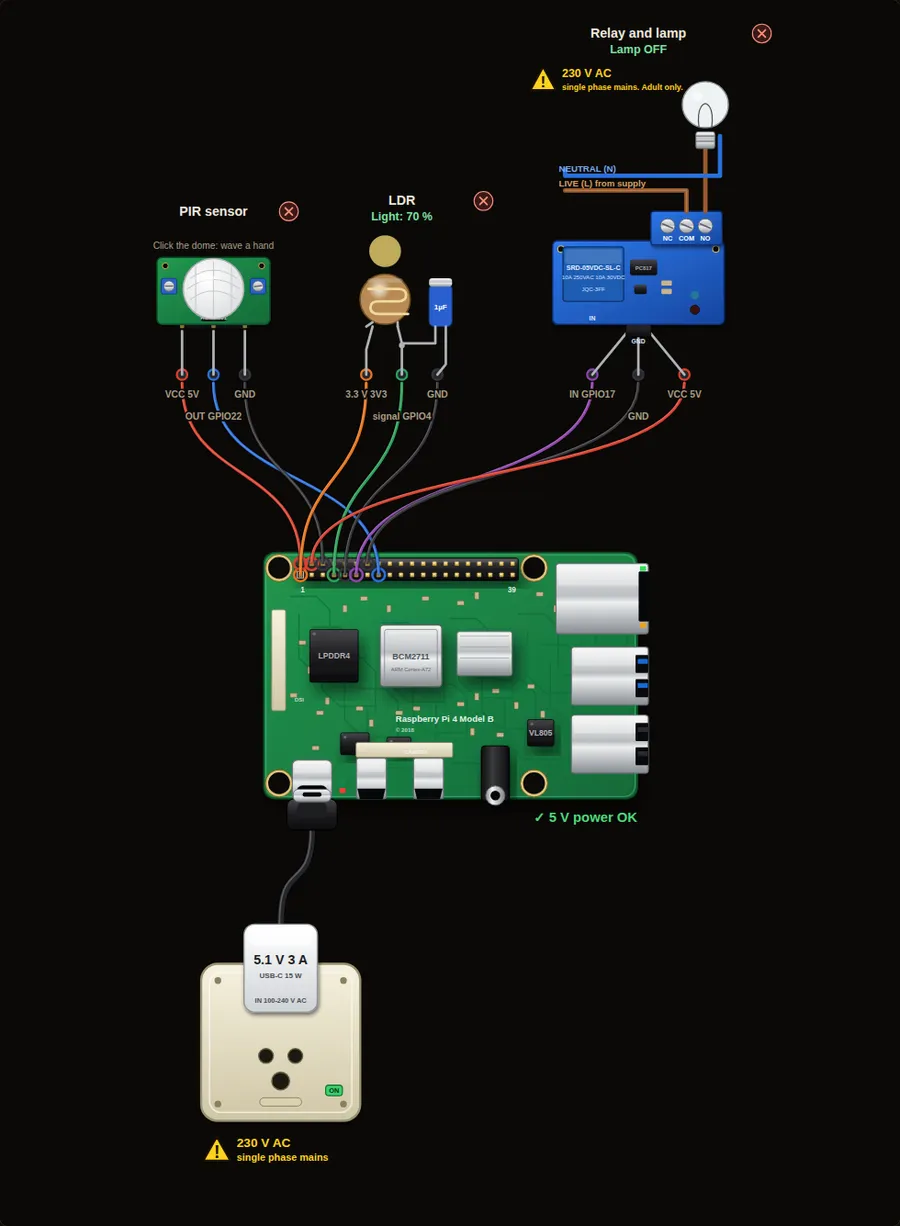 Intermediate14. Automatic porch lightThe porch lamp comes on only when it is dark AND somebody is moving nearby, and stays on for a few seconds. It combines two sensors and a relay.Open project →
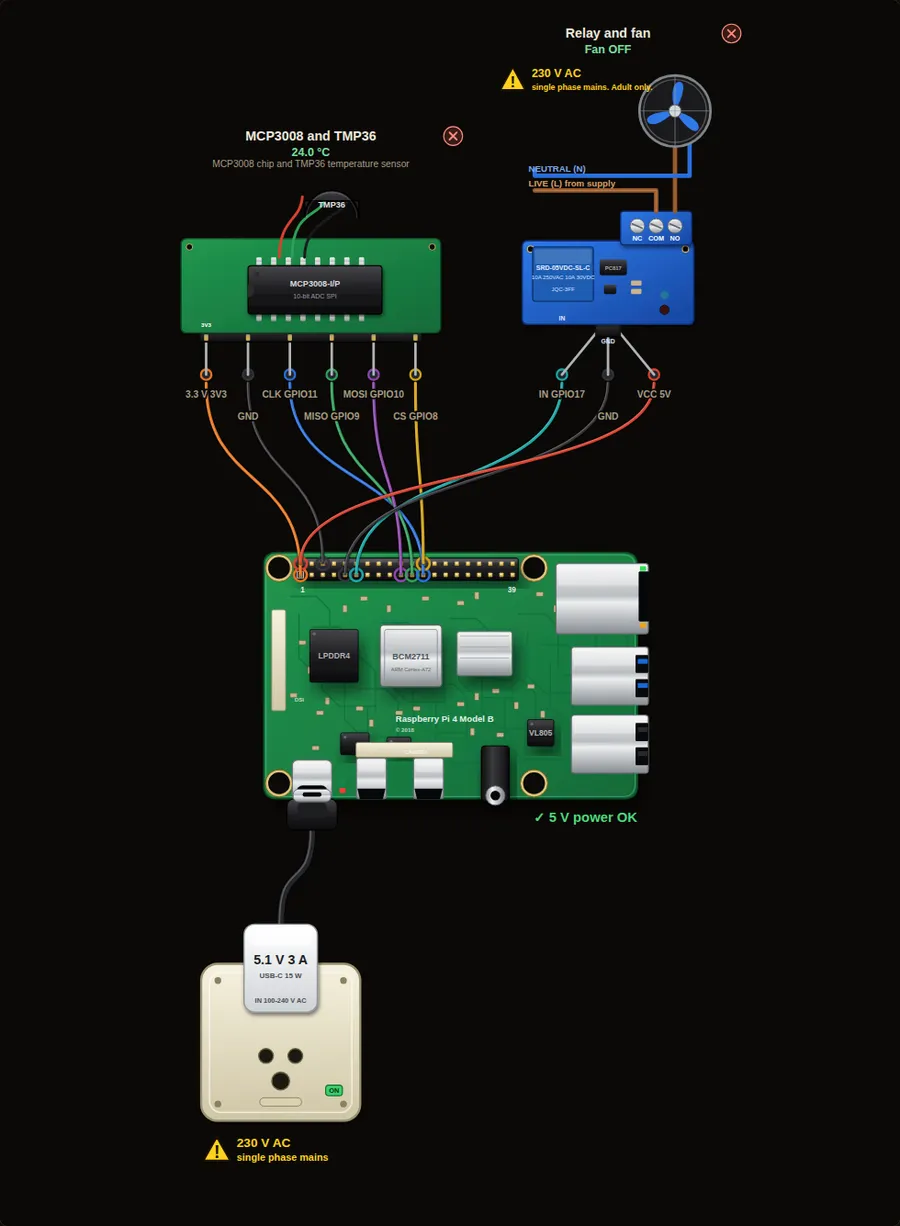 Intermediate15. Thermostat fan with hysteresisA room fan that turns on above 28 degrees C and off below 26 degrees C. The gap between the two limits stops the relay from chattering.Open project →
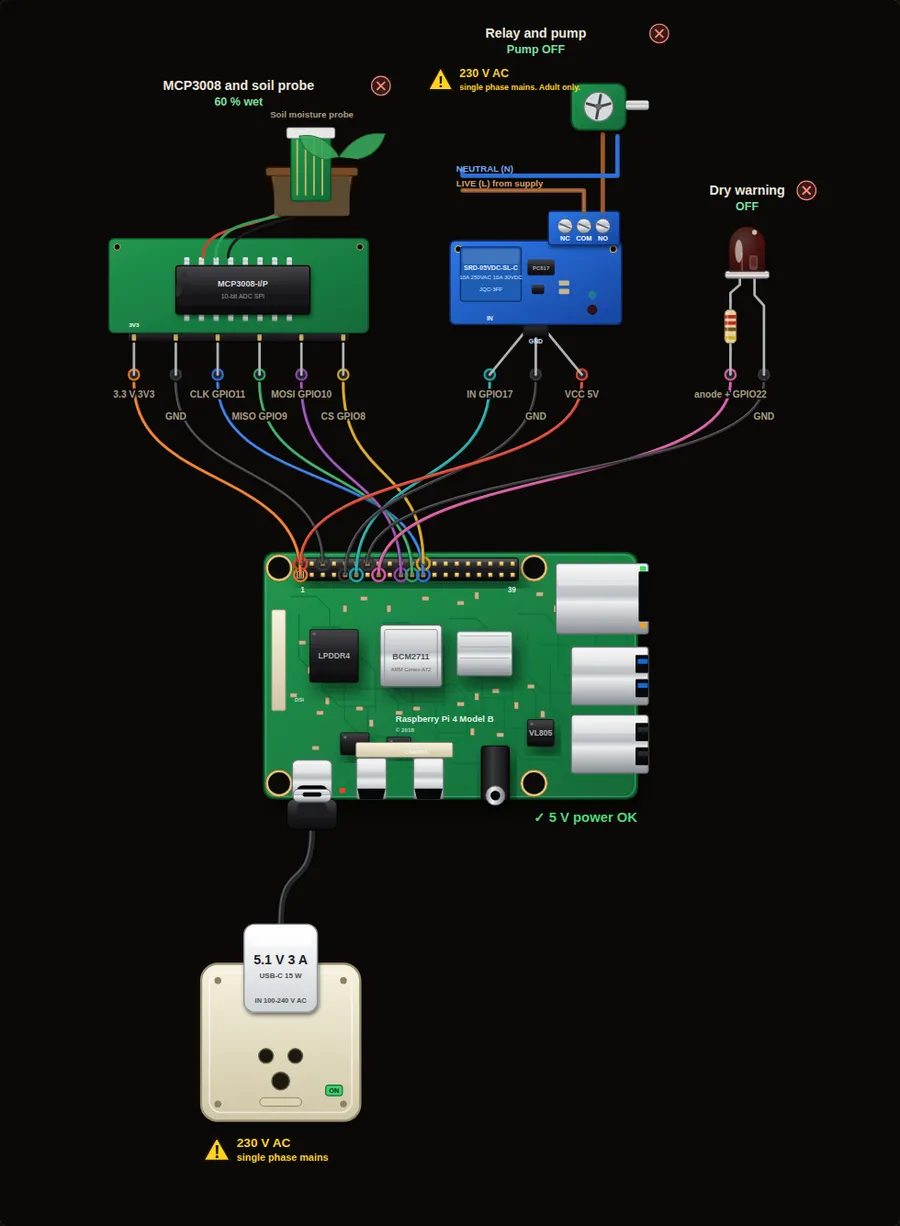 Intermediate16. Automatic plant wateringA soil moisture probe tells the Pi when the plant is dry. The Pi runs a small water pump for three seconds, then waits for the water to soak in.Open project →
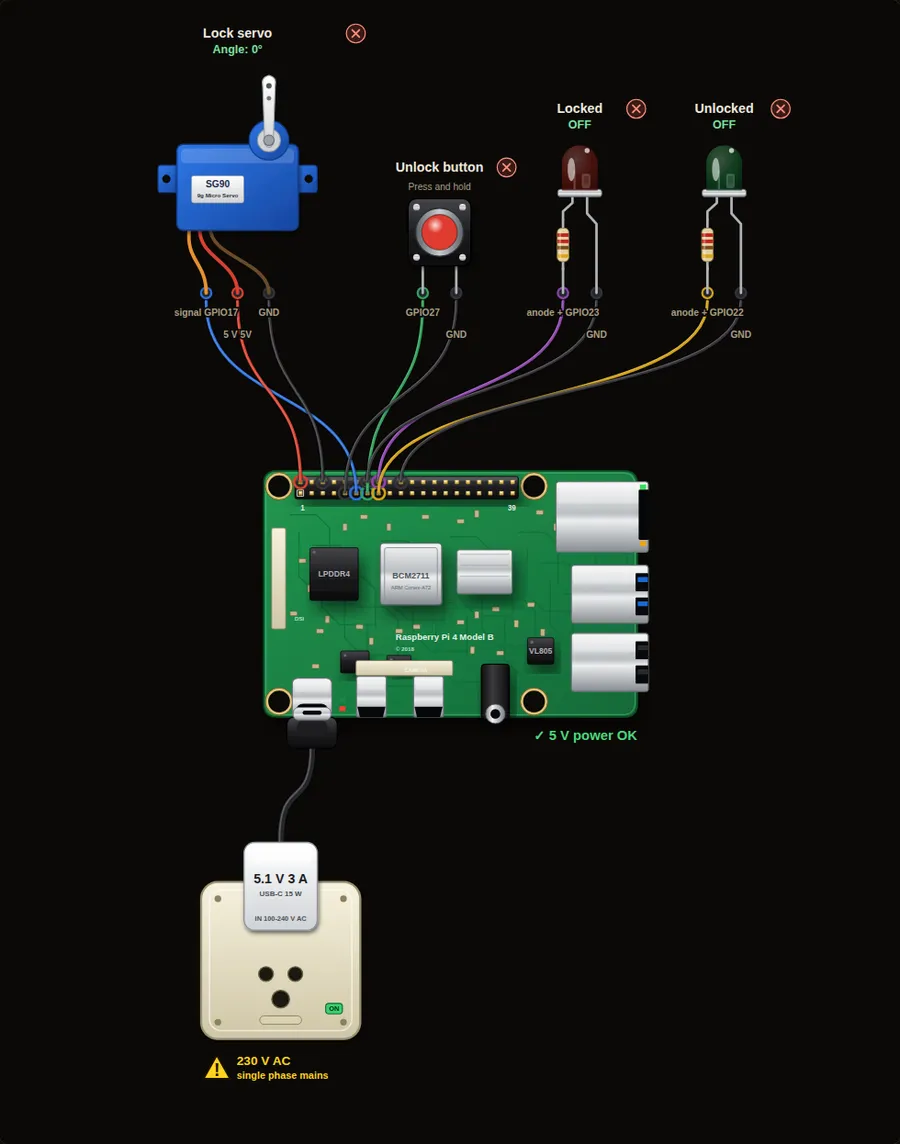 Intermediate17. Smart door lockA servo turns a bolt. Press the button to unlock the door for five seconds, then it locks itself again. Red and green LEDs show the state.Open project →
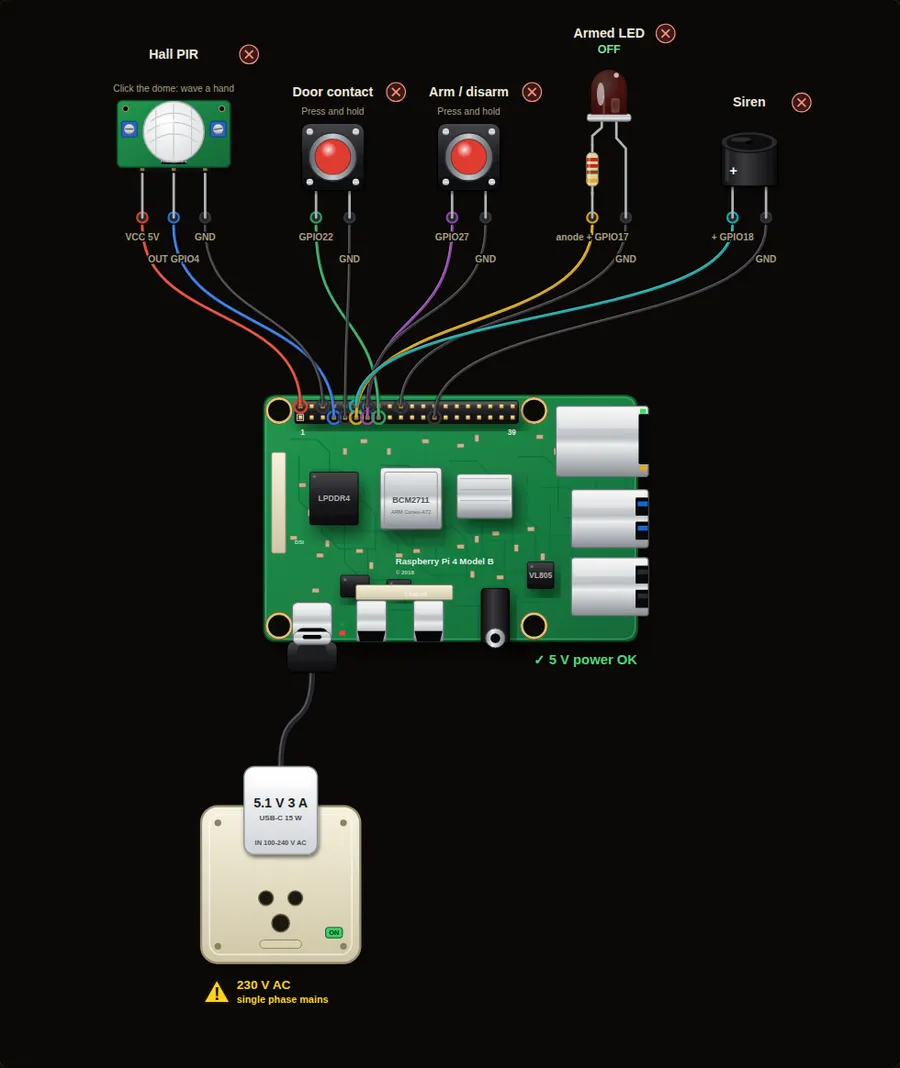 Advanced18. Home alarm systemArm the system with a button. If the door opens or a PIR sees movement while armed, the siren sounds until you disarm it.Open project →
Industrial automation9
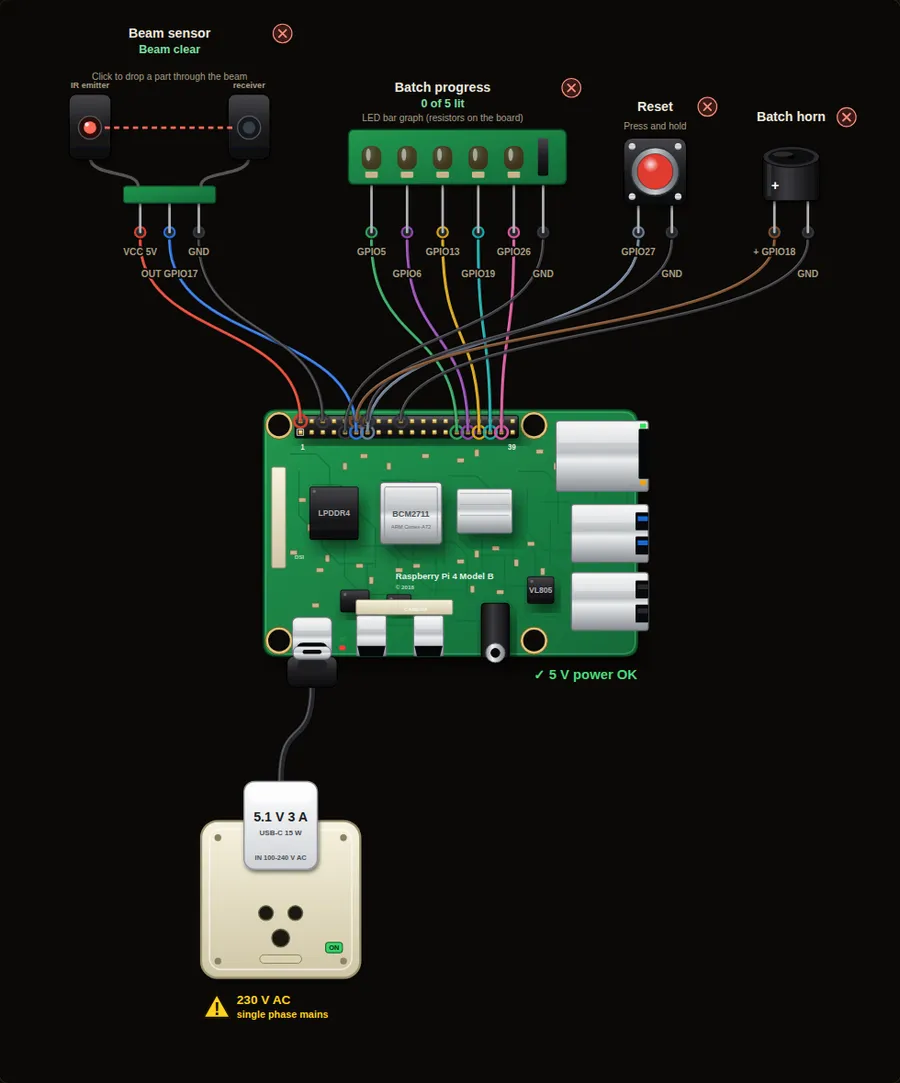 Beginner19. Production counter with batch alarmA beam-break sensor counts every part that passes on a conveyor. Five LEDs show progress to a batch of five, and a horn sounds when the batch is complete.Open project →
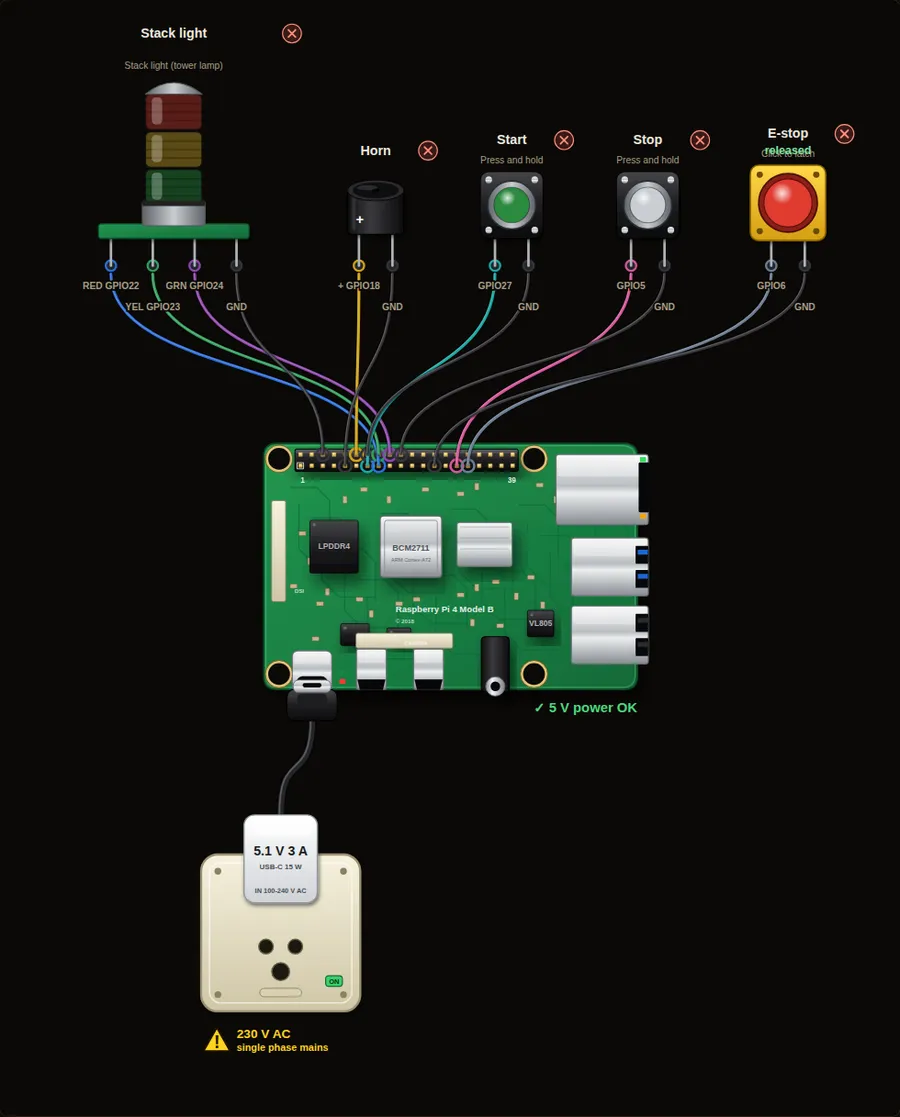 Intermediate20. Machine stack light with start, stop and e-stopA tower light shows the machine state like on a factory floor: yellow for ready, green for running, flashing red with a horn for an emergency stop.Open project →
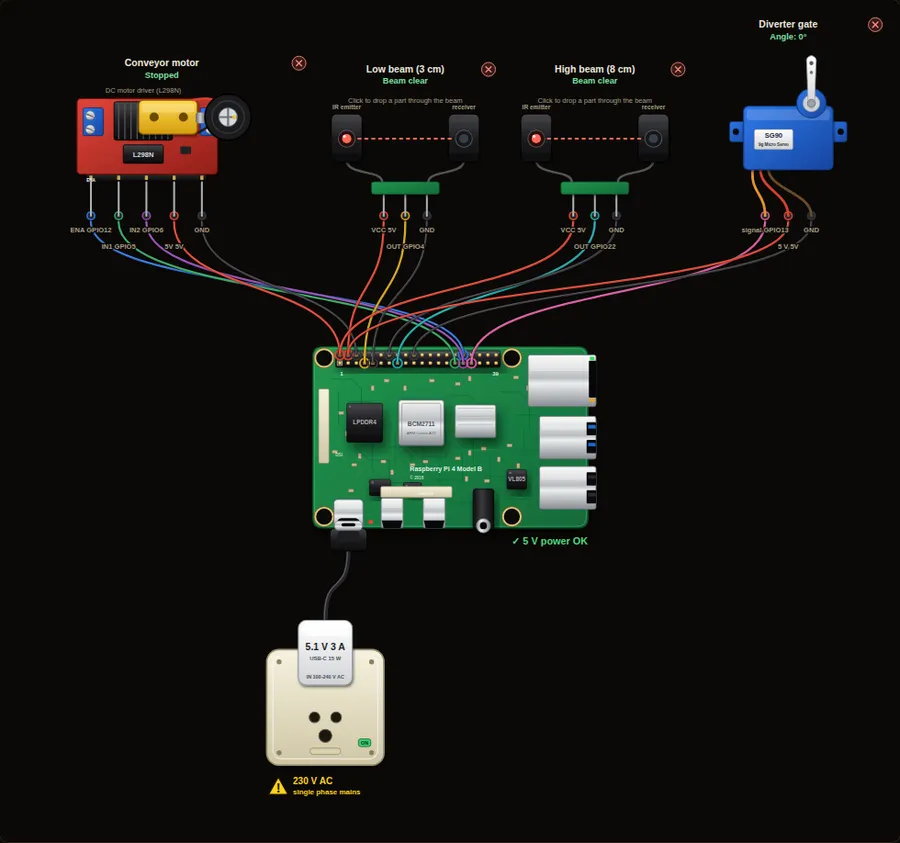 Advanced21. Conveyor sorter with a diverter gateA belt carries parts past two beam sensors at different heights. A tall part breaks both beams, a short part breaks only the low one. A servo gate sends each part to the right bin.Open project →
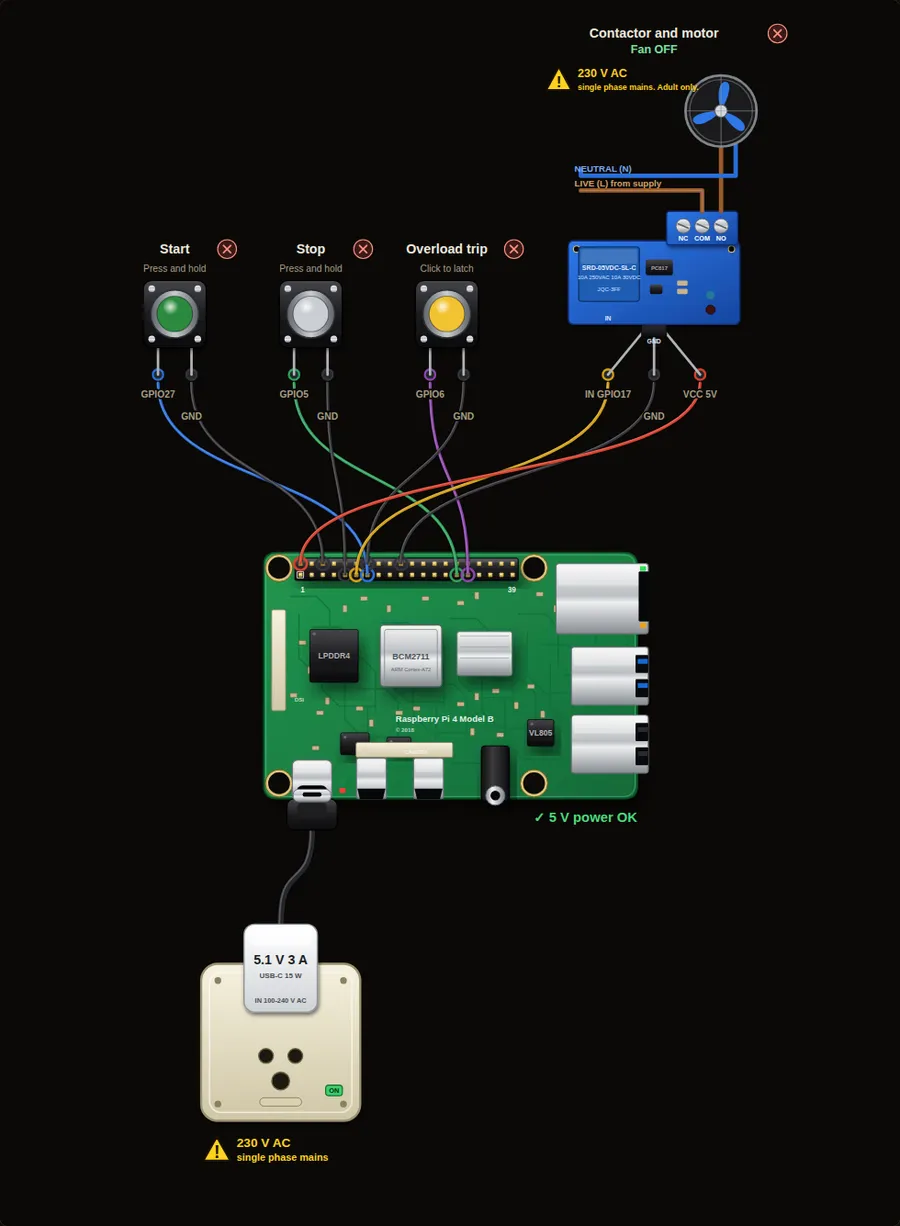 Intermediate22. Motor start/stop with a seal-in circuitThe most common PLC circuit in industry. A momentary Start button latches the motor on, and Stop or an overload trip drops it out. Watch the ladder diagram light up as you press.Open project →
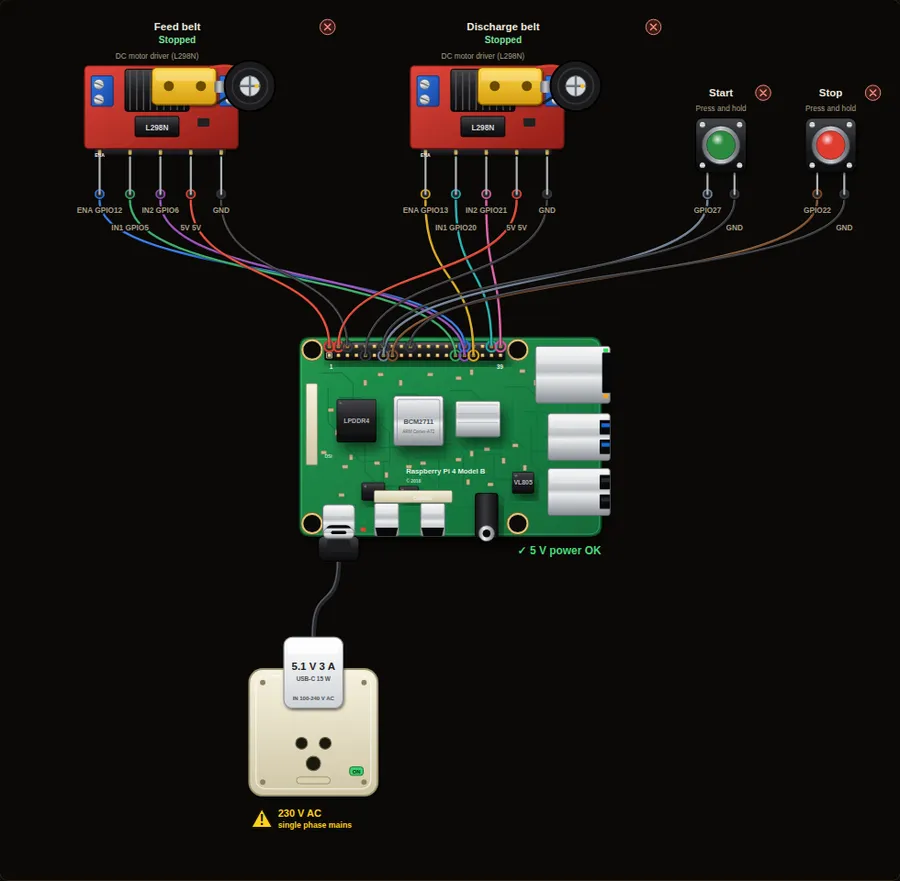 Advanced23. Sequenced conveyor start and stopTwo belts must start and stop in the right order, or parts pile up. Start runs the discharge belt first, then the feed belt after a delay. Stop reverses the order.Open project →
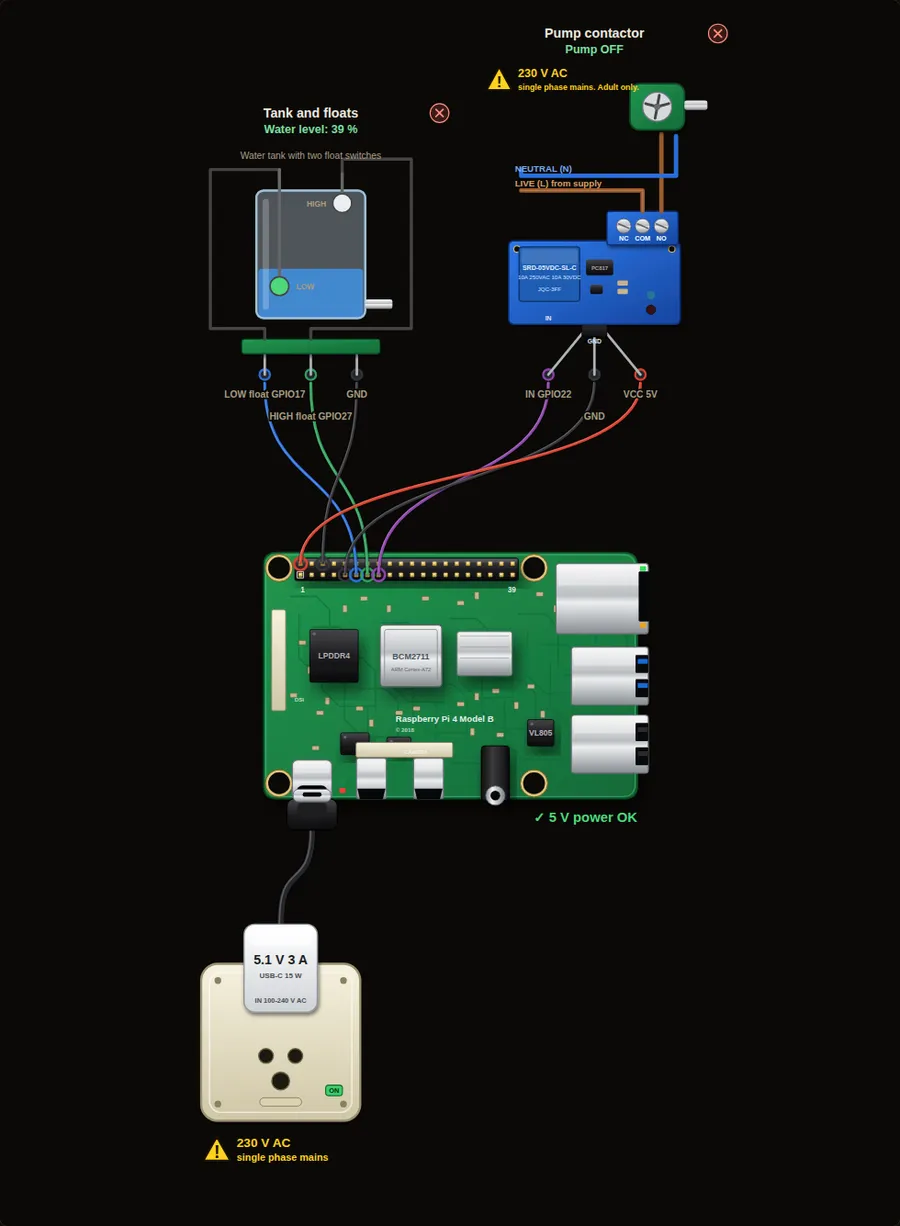 Advanced24. Tank level control with two float switchesThe classic PLC water tank. A low float starts the pump, the pump runs until the high float is wet, and then stops. The tank simulates water level so you can watch the cycle.Open project →
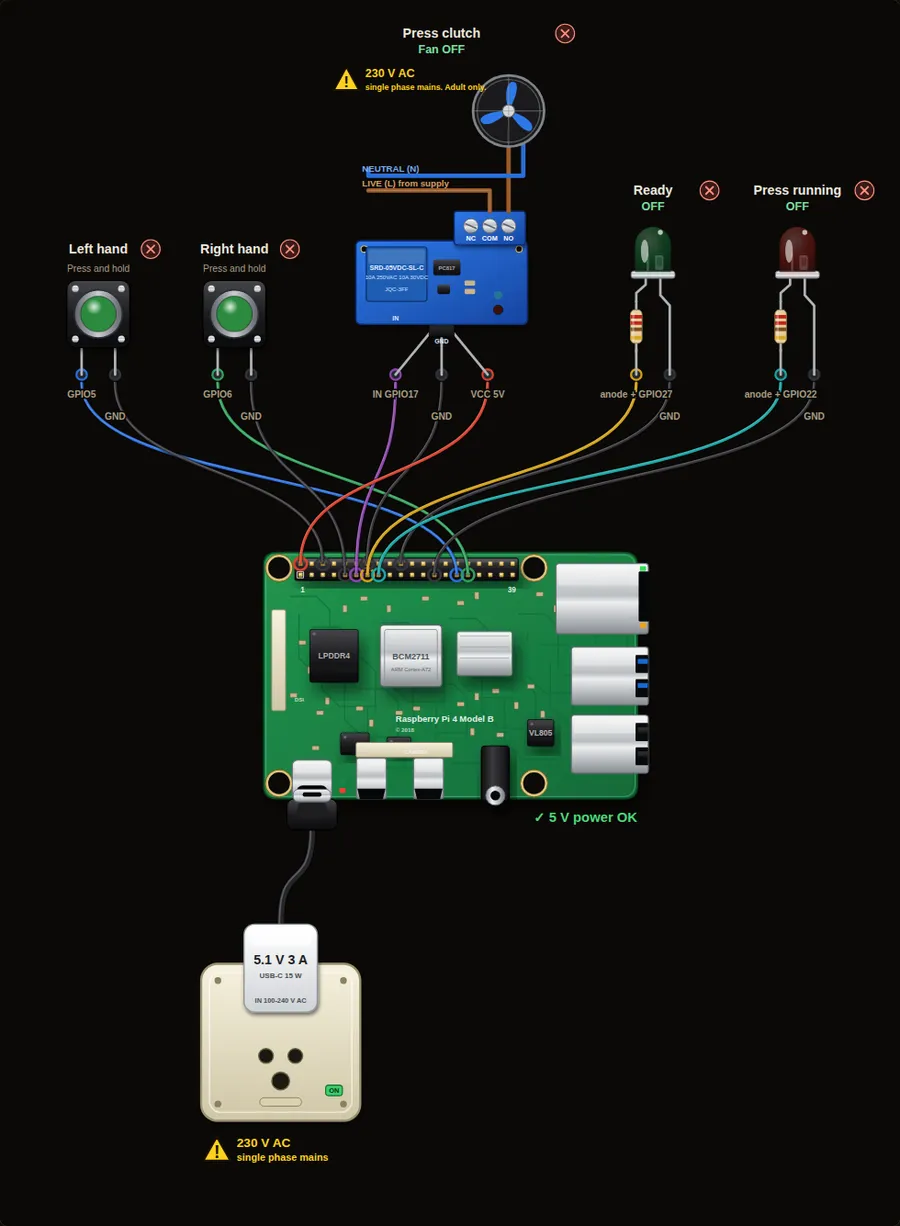 Advanced45. Two-hand press controlA press may only run while the operator holds two buttons, both pressed within half a second of each other. This keeps both hands away from the danger zone.Open project →
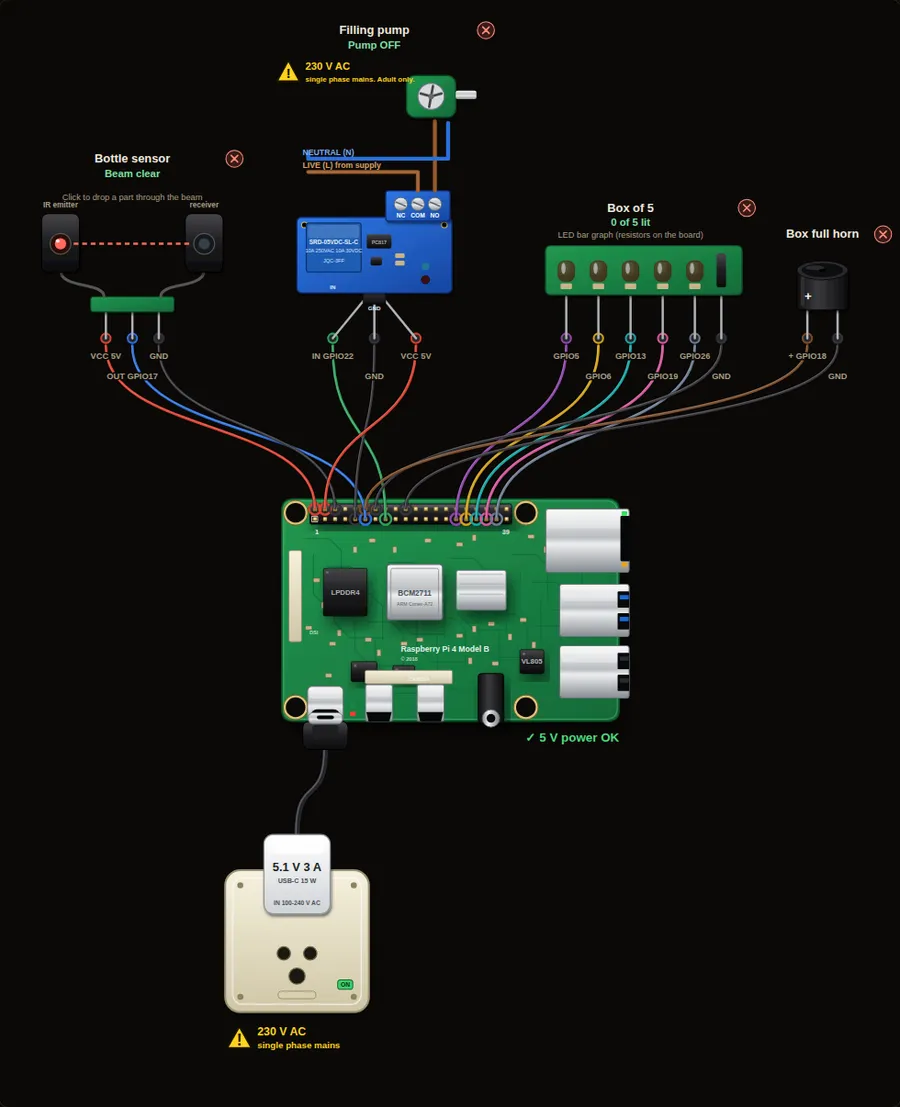 Intermediate46. Bottle filling stationA beam sensor sees a bottle under the nozzle. The pump fills it for 3 seconds. A bar of LEDs counts filled bottles for each box of five.Open project →
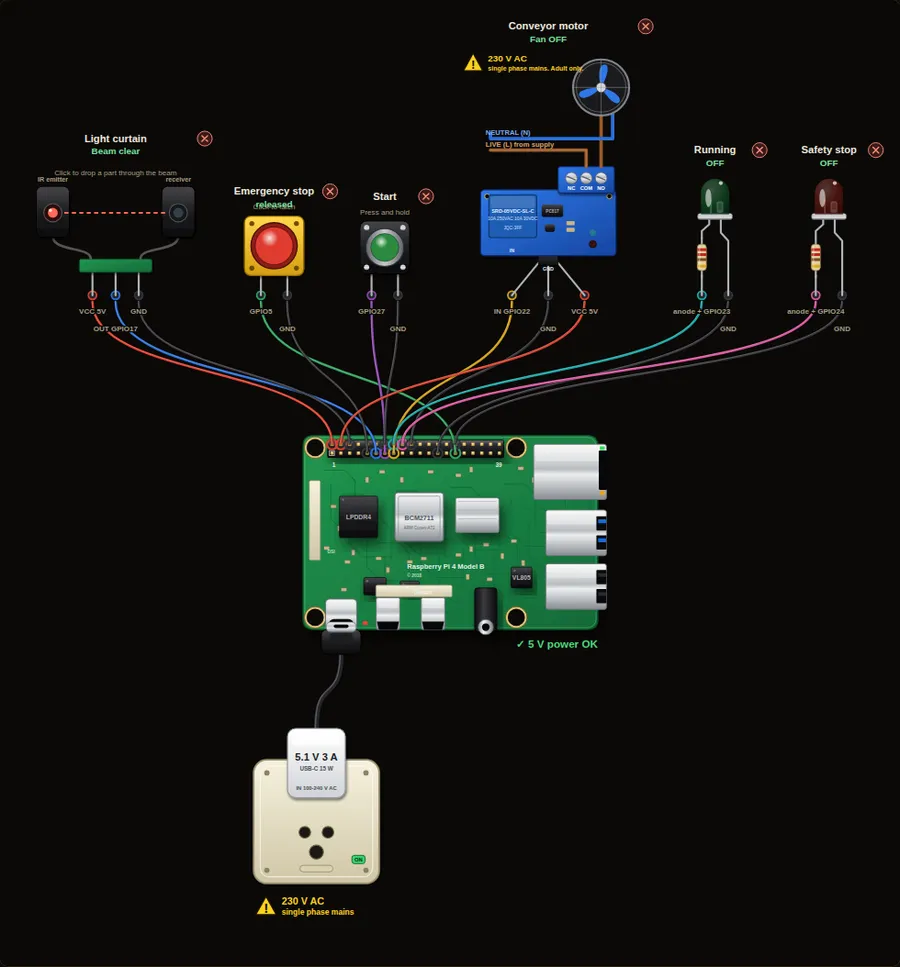 Advanced47. Light-curtain safety interlockA conveyor motor may run only while the light curtain is clear and the emergency stop is released. Any interruption stops it, and an operator must press Start again.Open project →
Camera and vision8
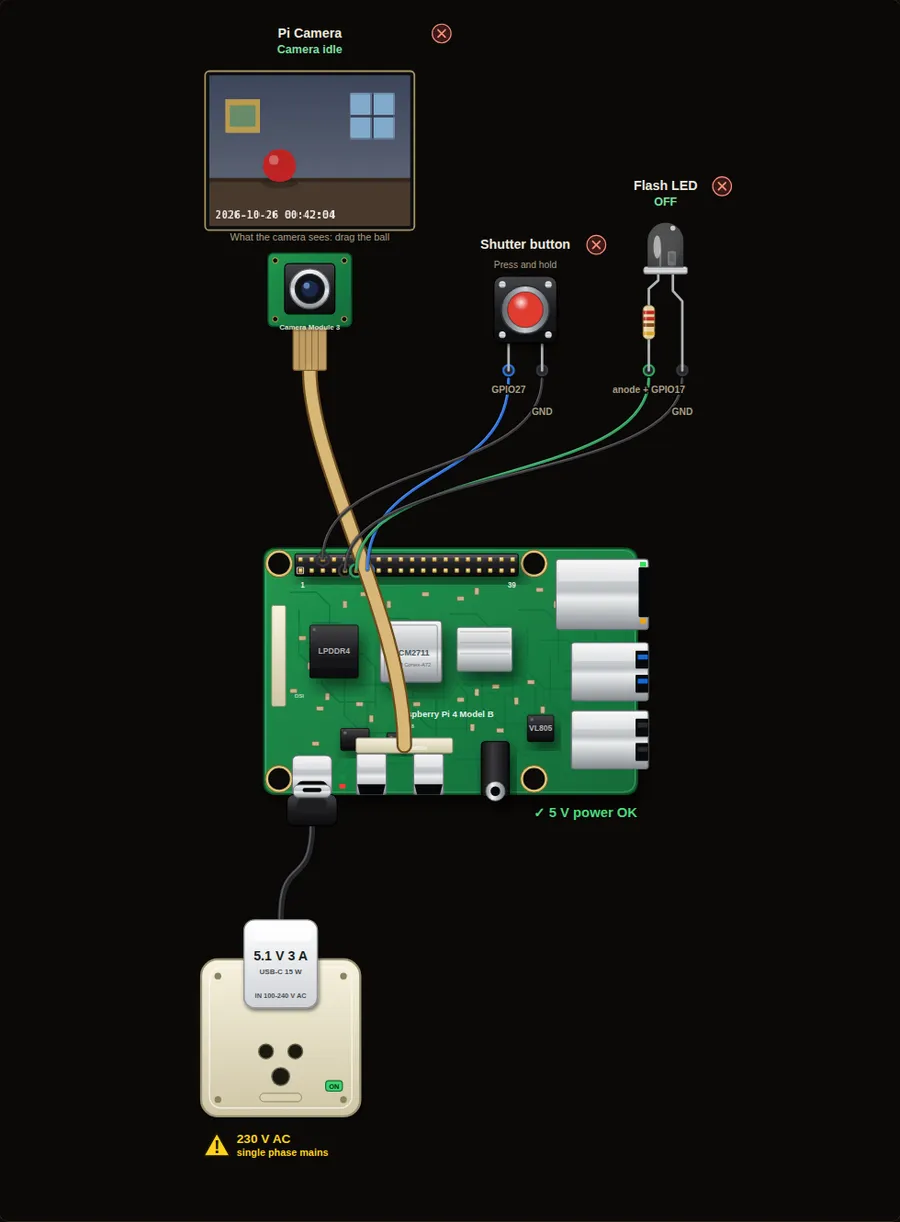 Beginner25. Take a photo with a buttonPress the shutter button and the Pi takes a picture. An LED flashes like a camera flash. Your first program with the Pi Camera.Open project →
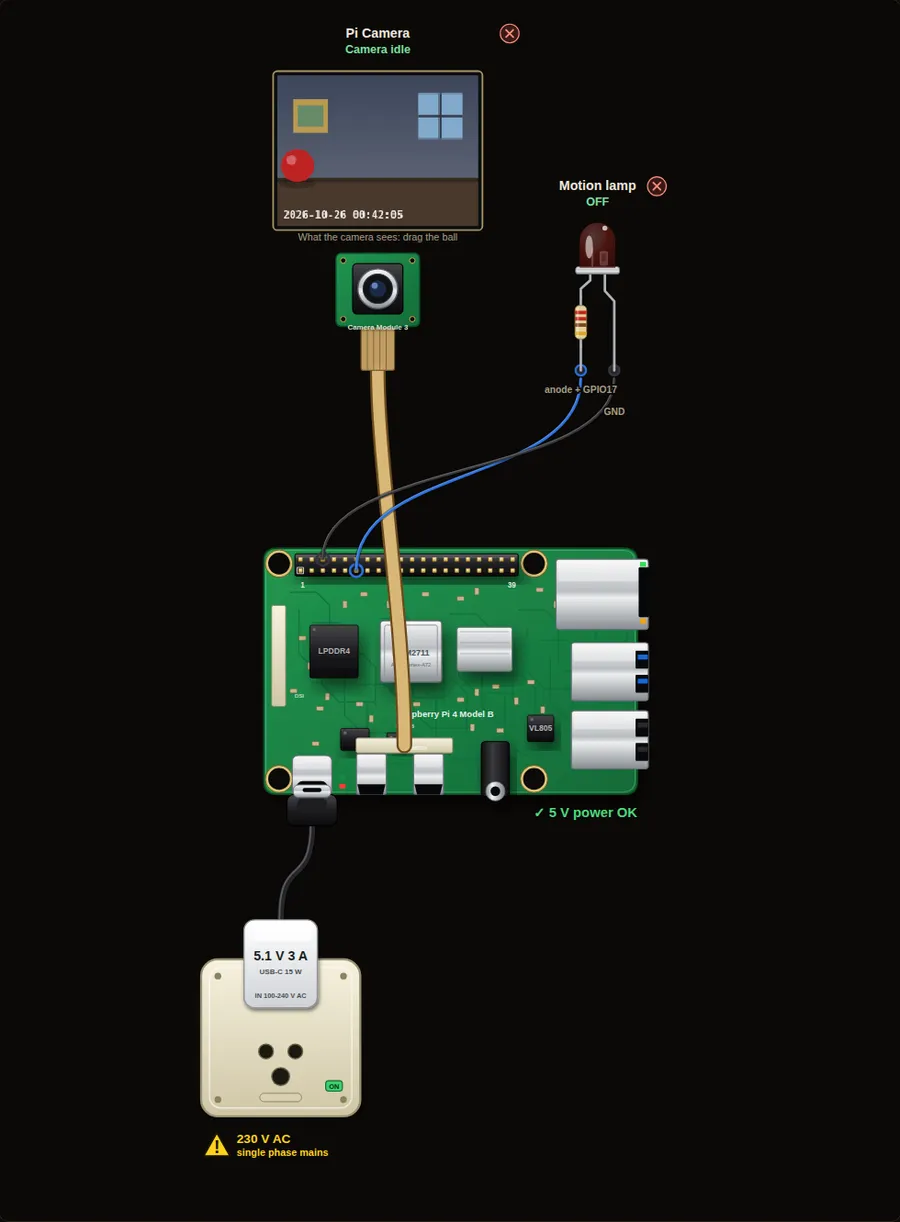 Intermediate26. Motion detector with the cameraCompare each picture with the one before. If many pixels changed, something moved. This is how simple security cameras find movement without any extra sensor.Open project →
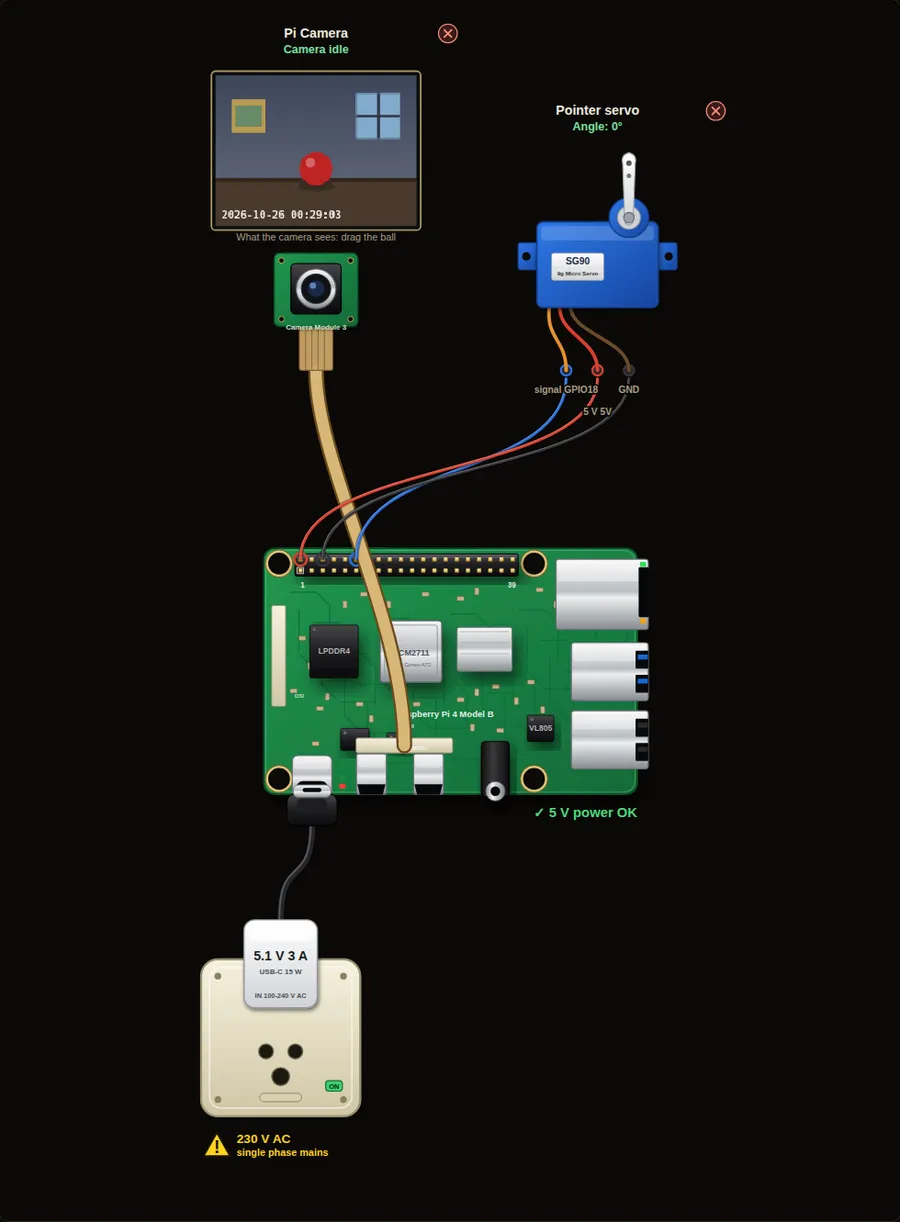 Intermediate27. Colour tracker that points a servoThe camera finds a red ball. A servo arm points to where the ball is. Move the ball left and right and the arm follows. The idea behind object tracking and vision robots.Open project →
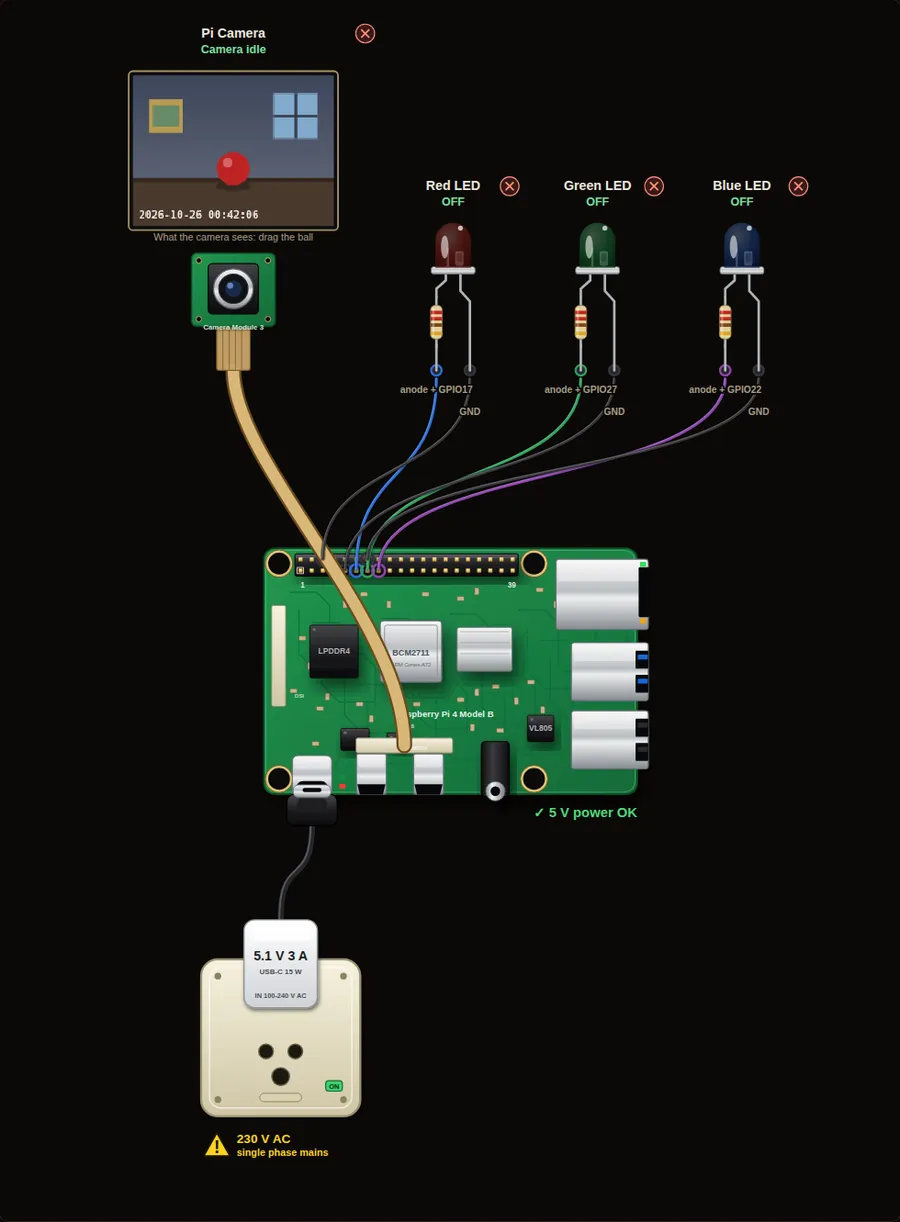 Beginner28. Colour detector with three LEDsShow a red, green or blue ball to the camera. The matching LED lights up. A simple colour sorter, like the ones that check fruit or plastic parts on a belt.Open project →
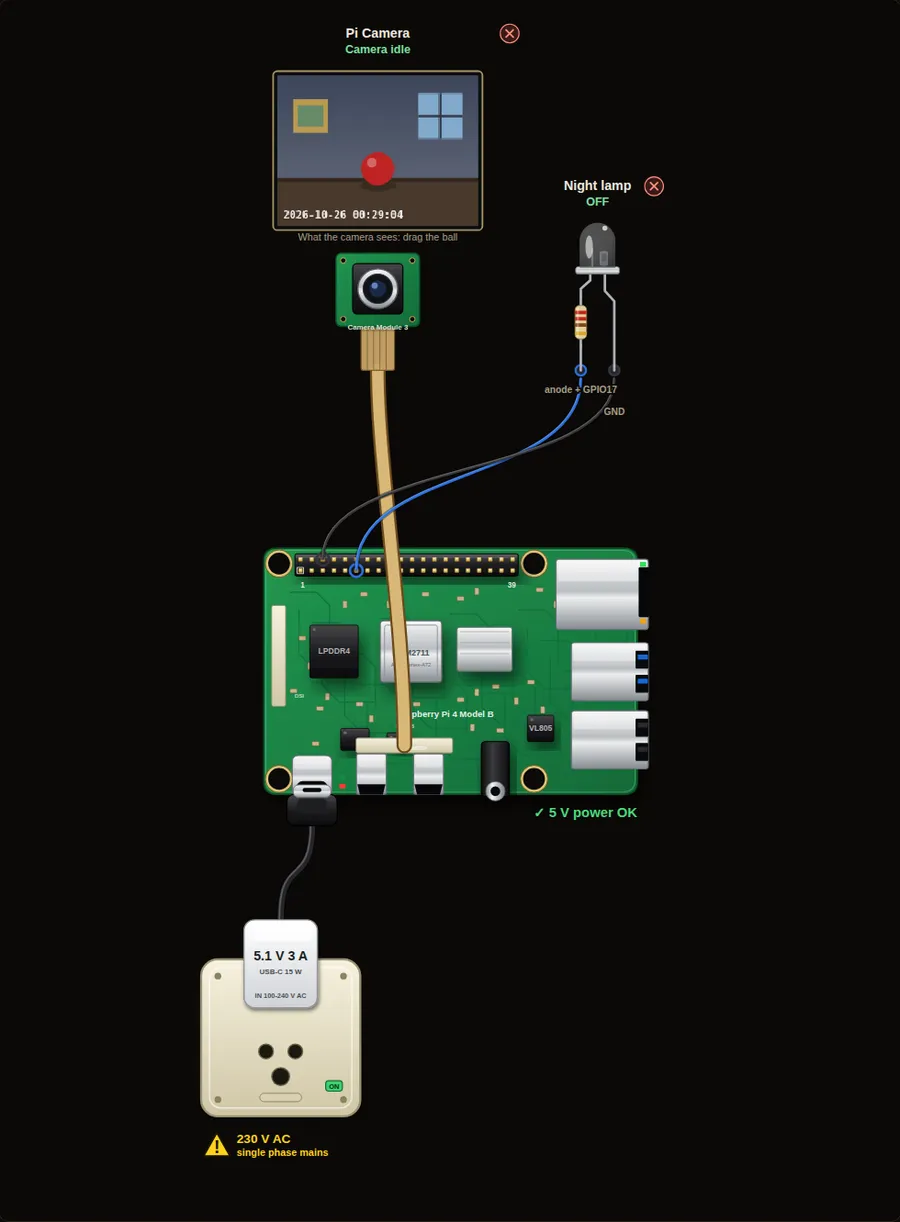 Beginner29. Auto night light from the cameraThe camera measures how bright the room is. When it gets dark the LED lamp comes on, and it goes off again in daylight. No light sensor needed: the camera is the sensor.Open project →
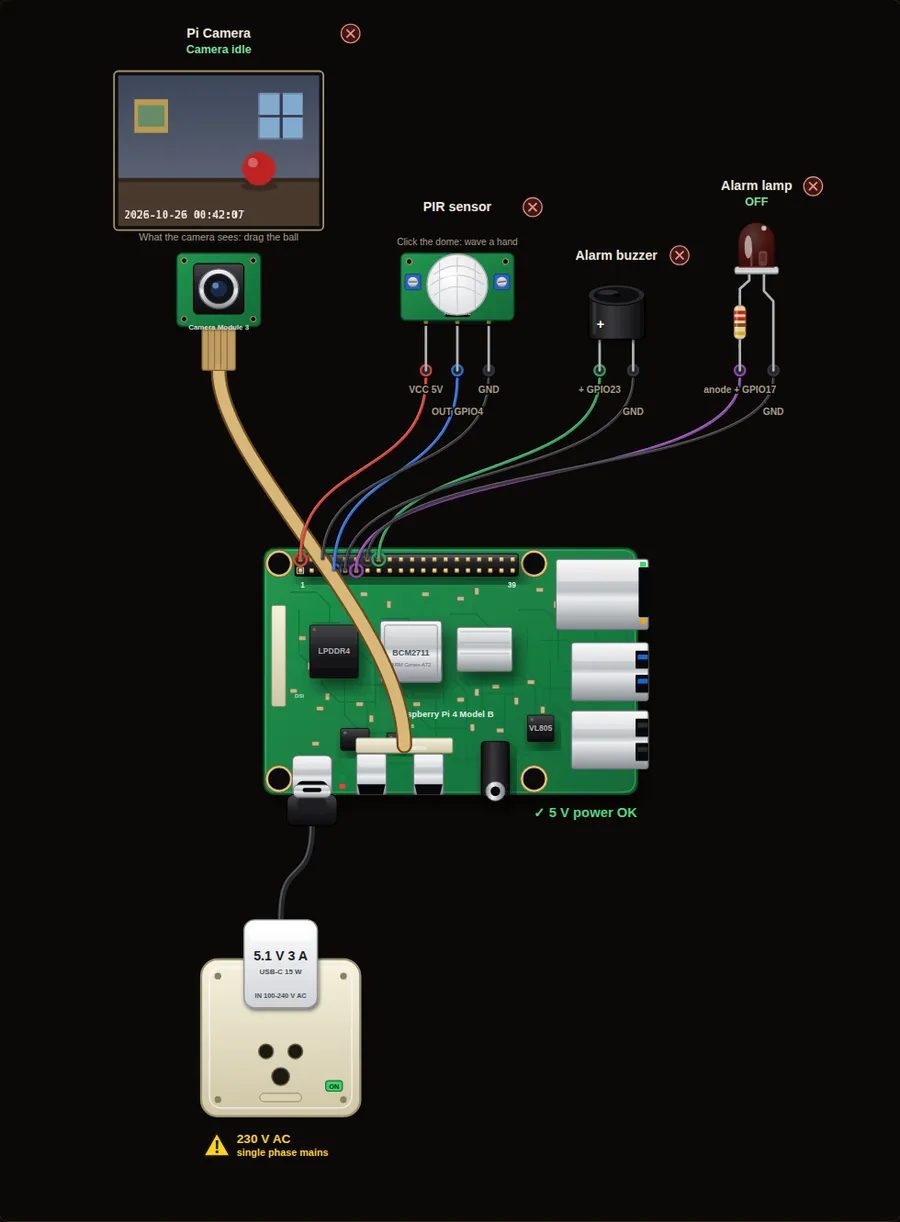 Intermediate30. Security camera with PIR and alarmA PIR sensor sees someone move. The Pi takes a photo of the intruder, sounds the buzzer and keeps the picture. The PIR saves power: the camera works only when needed.Open project →
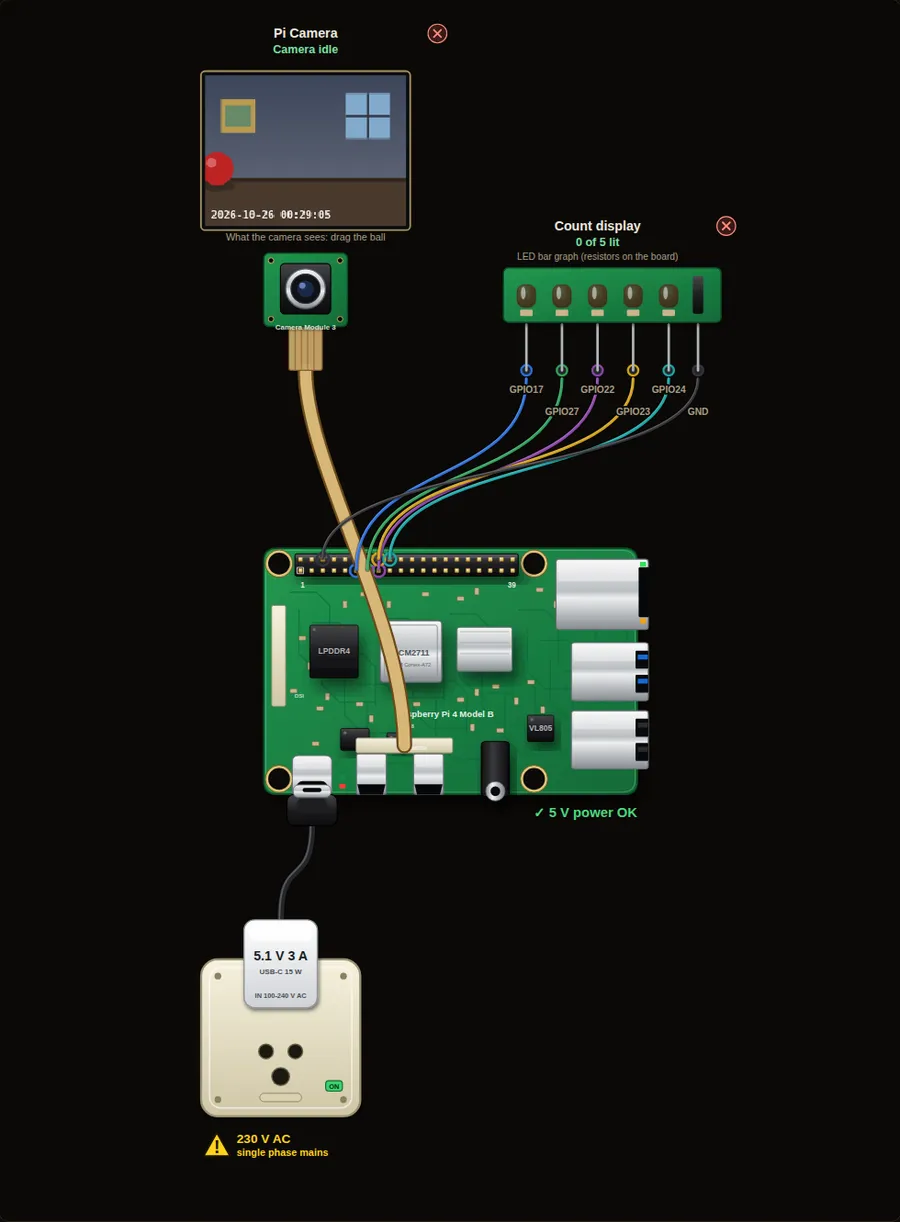 Intermediate31. Count objects with the cameraEvery time the red ball crosses the middle line of the picture, the count goes up by one, and an LED bar shows the count. The same idea counts parcels, people or cars.Open project →
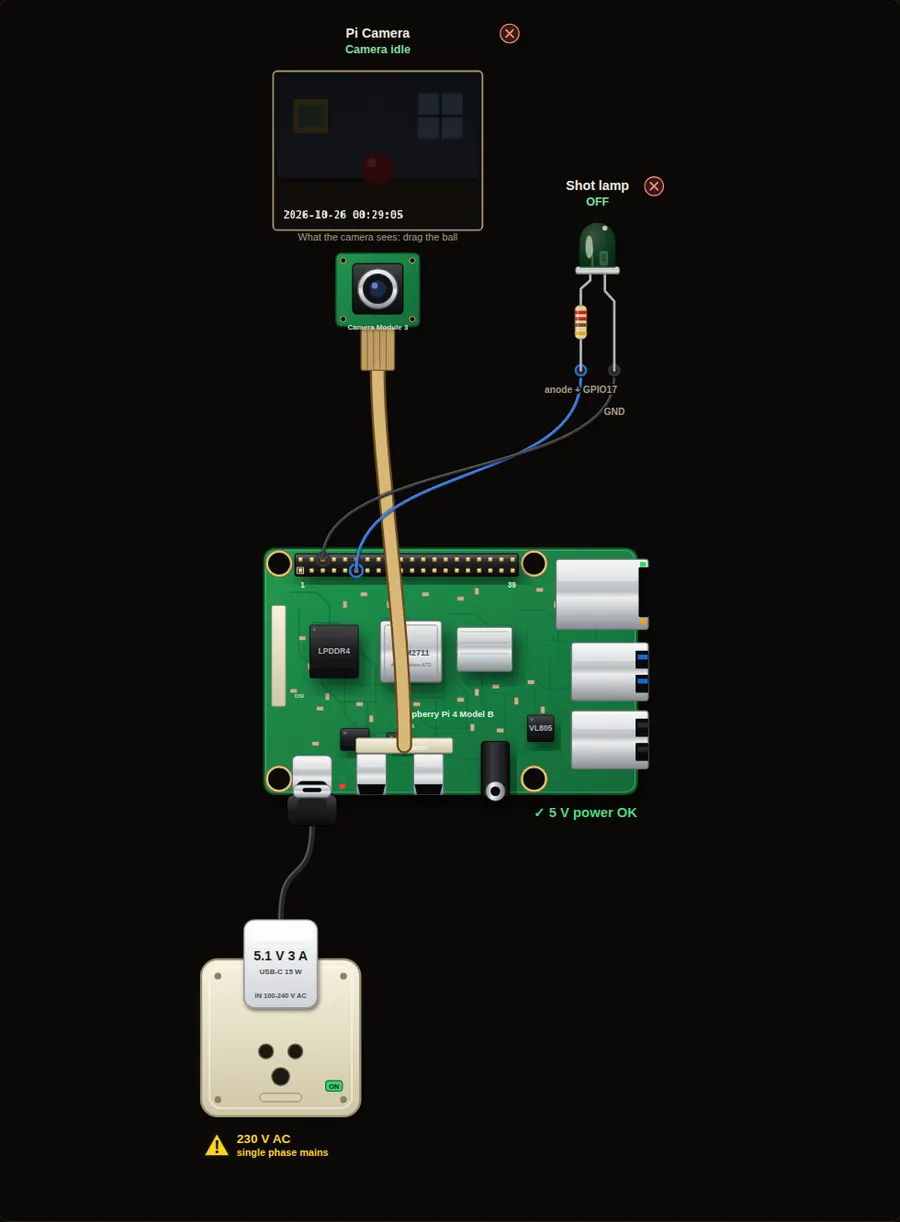 Beginner32. Time-lapse cameraTake one photo every few seconds and string them into a film later. Slide the room light from dark to bright and the pictures show a sunrise.Open project →
Robotics4
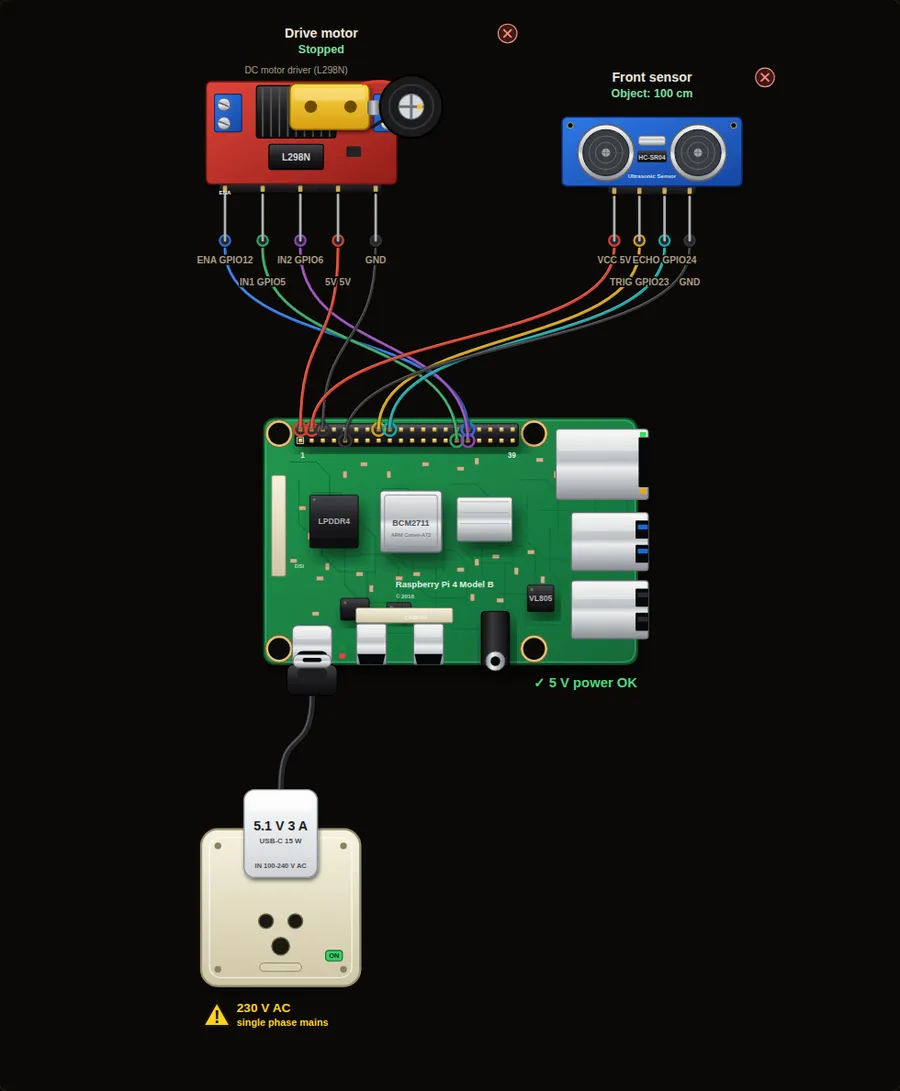 Intermediate33. Obstacle-avoiding robot carAn ultrasonic sensor looks ahead. The car drives while the way is clear, slows down when something is near, and backs away when it is too close.Open project →
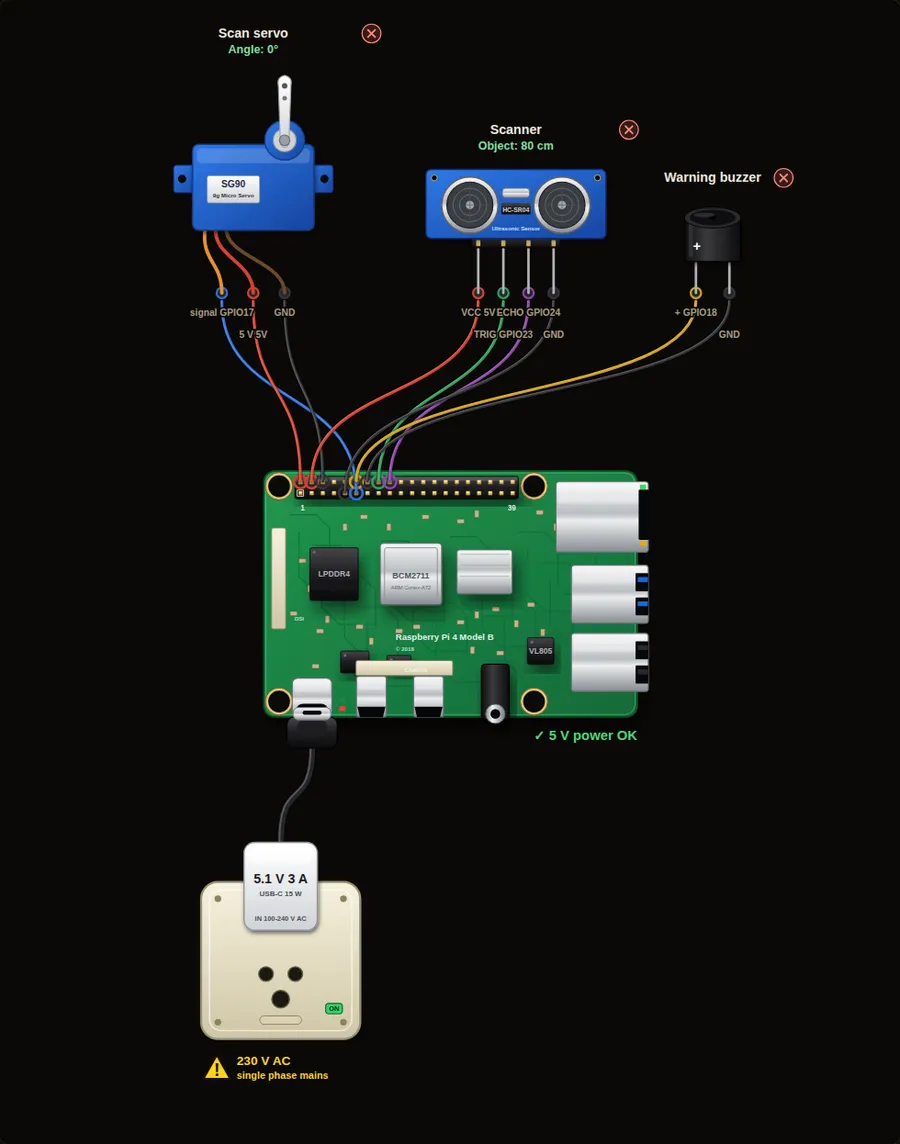 Intermediate34. Radar sweep with servo and ultrasonicA servo turns the ultrasonic sensor from left to right. The Pi prints a text radar line for each angle and beeps when something is close.Open project →
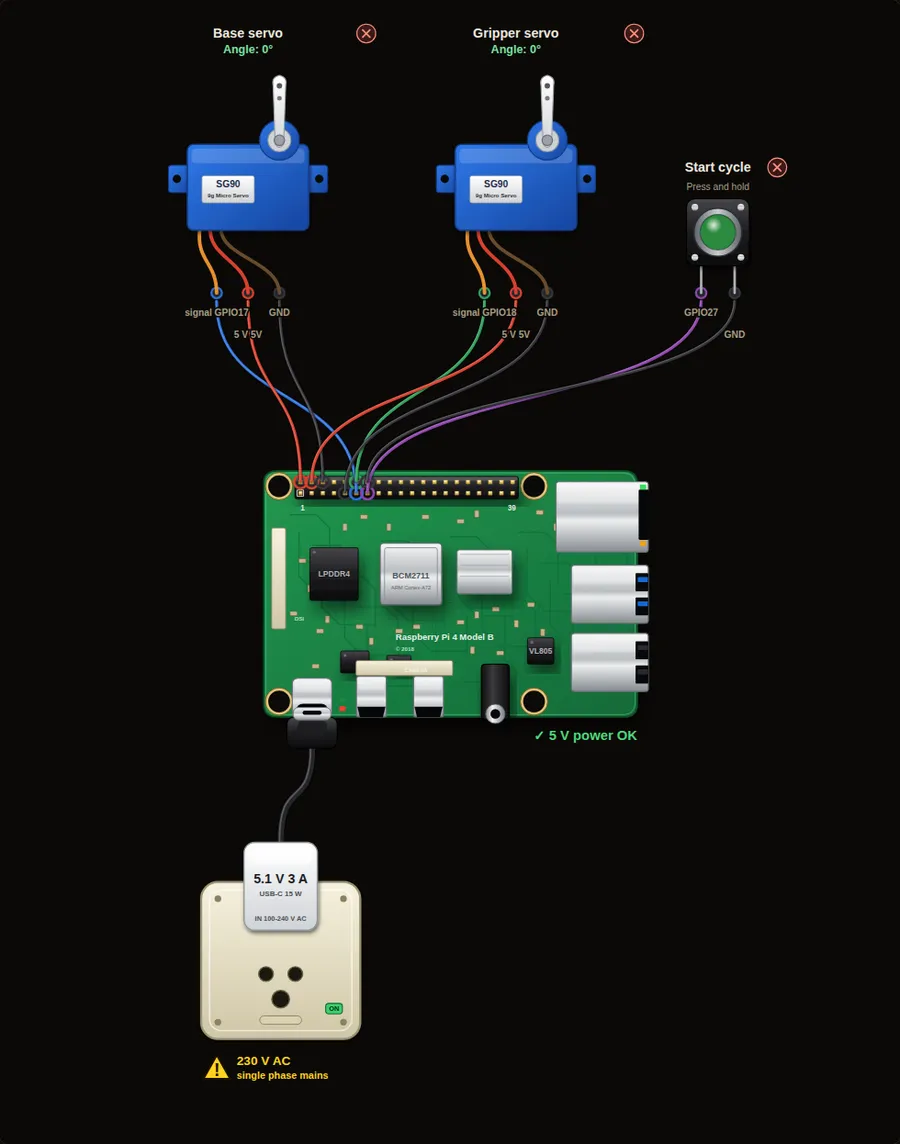 Intermediate35. Pick-and-place robot arm (2 servos)Two servos make a small arm: one turns the base and one opens and closes the gripper. Press the button and the arm runs a full pick-and-place cycle.Open project →
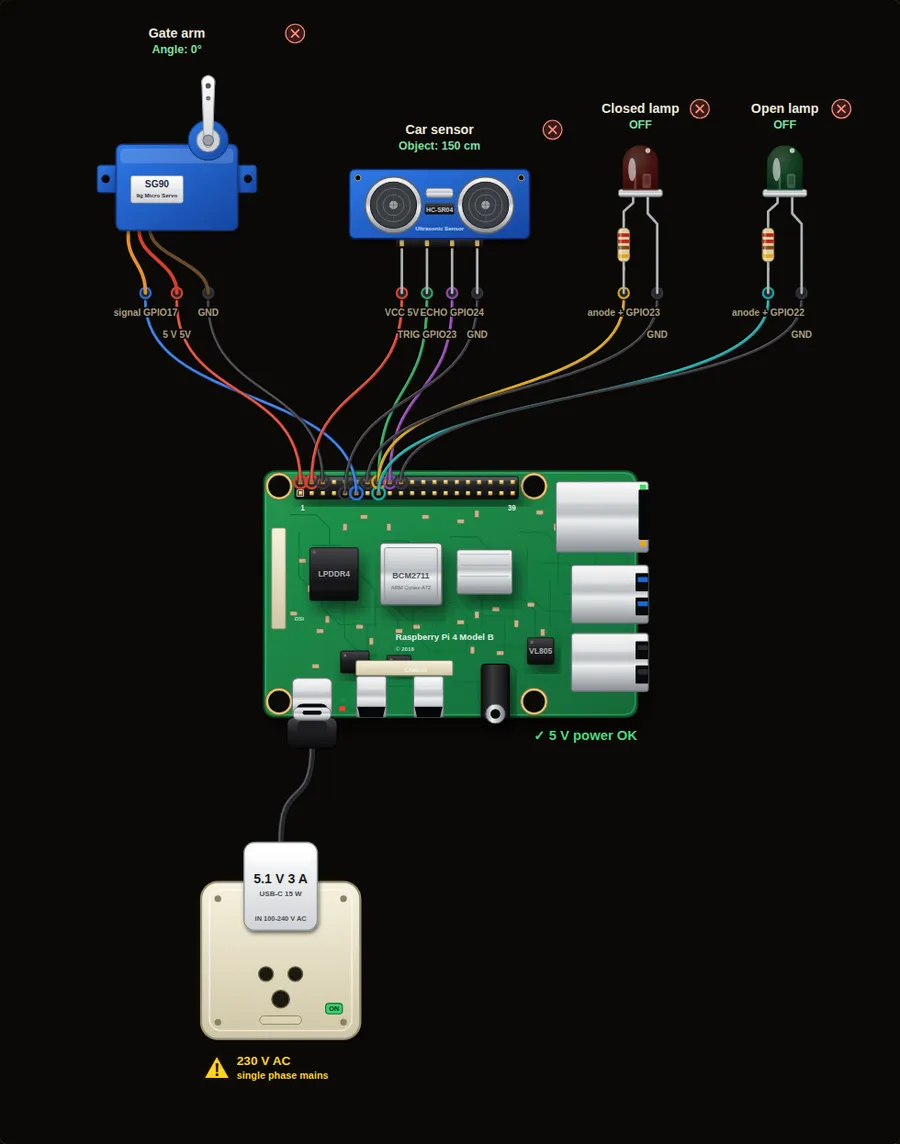 Intermediate36. Automatic gate with ultrasonic sensorA car comes close and the gate arm lifts. It stays open while the car is there, waits two seconds, then closes. A red and a green lamp show the state.Open project →
Smart farm and energy4
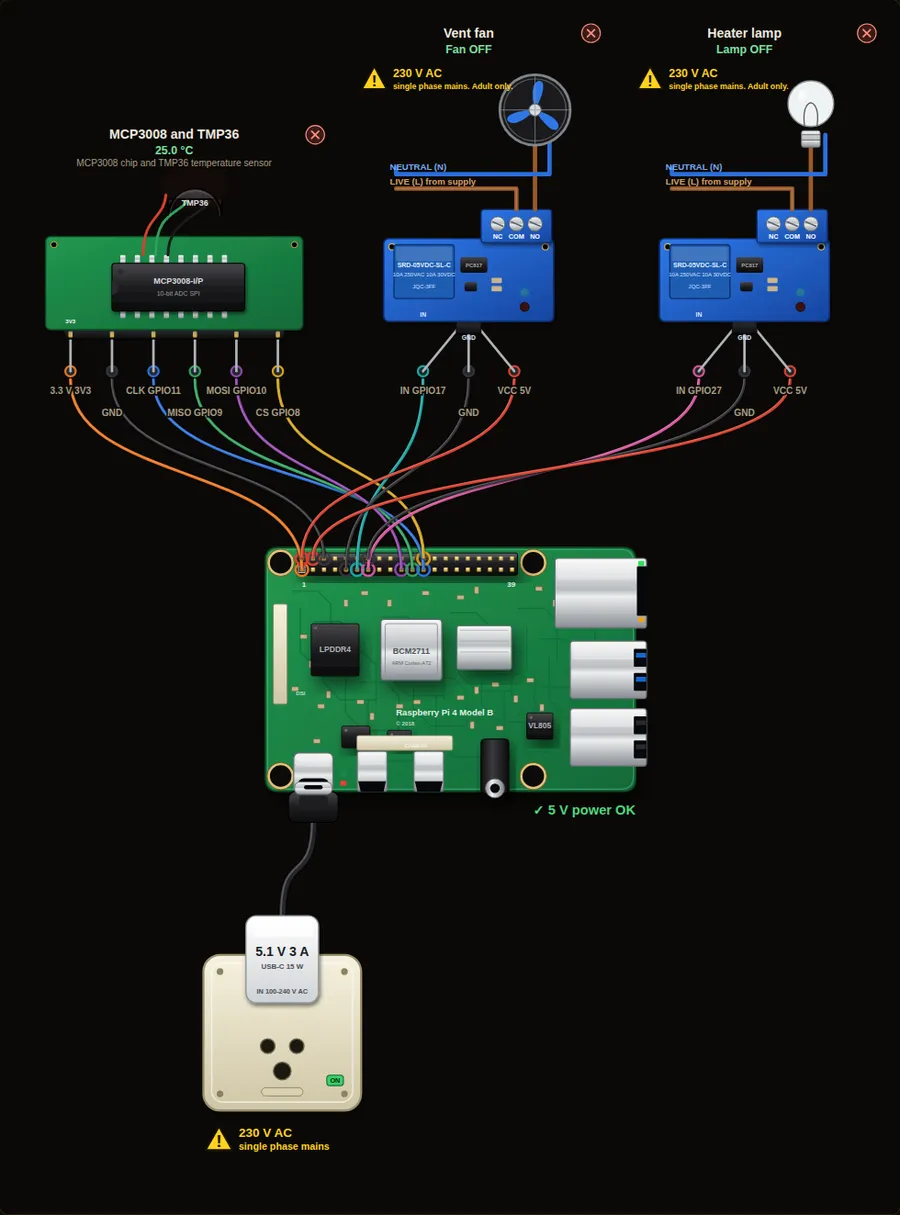 Intermediate41. Greenhouse climate controlA temperature sensor keeps the greenhouse between 20 and 30 degrees. Too cold: a heater lamp switches on. Too hot: a fan switches on. In between both rest.Open project →
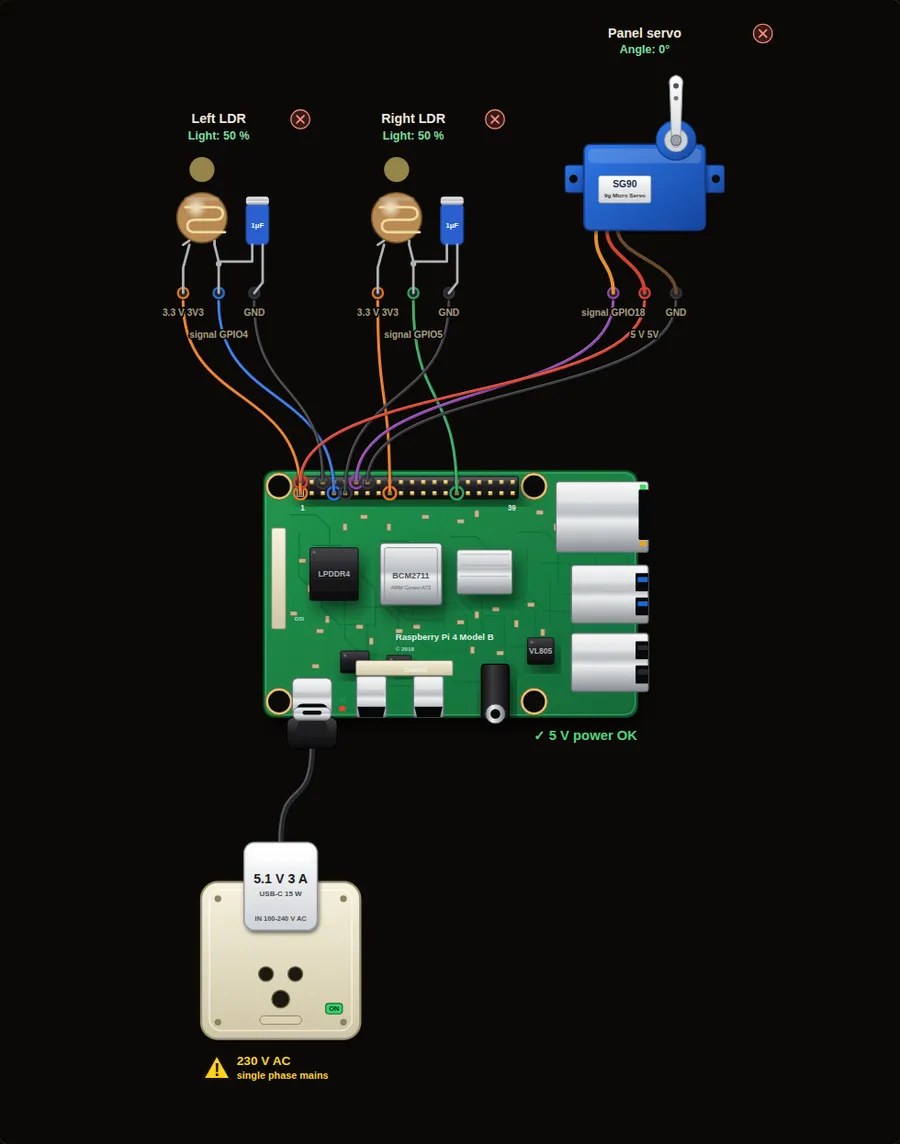 Intermediate42. Solar panel tracker with two LDRsTwo light sensors sit on the left and right of a panel. A servo turns the panel towards the brighter side until both sensors see the same light.Open project →
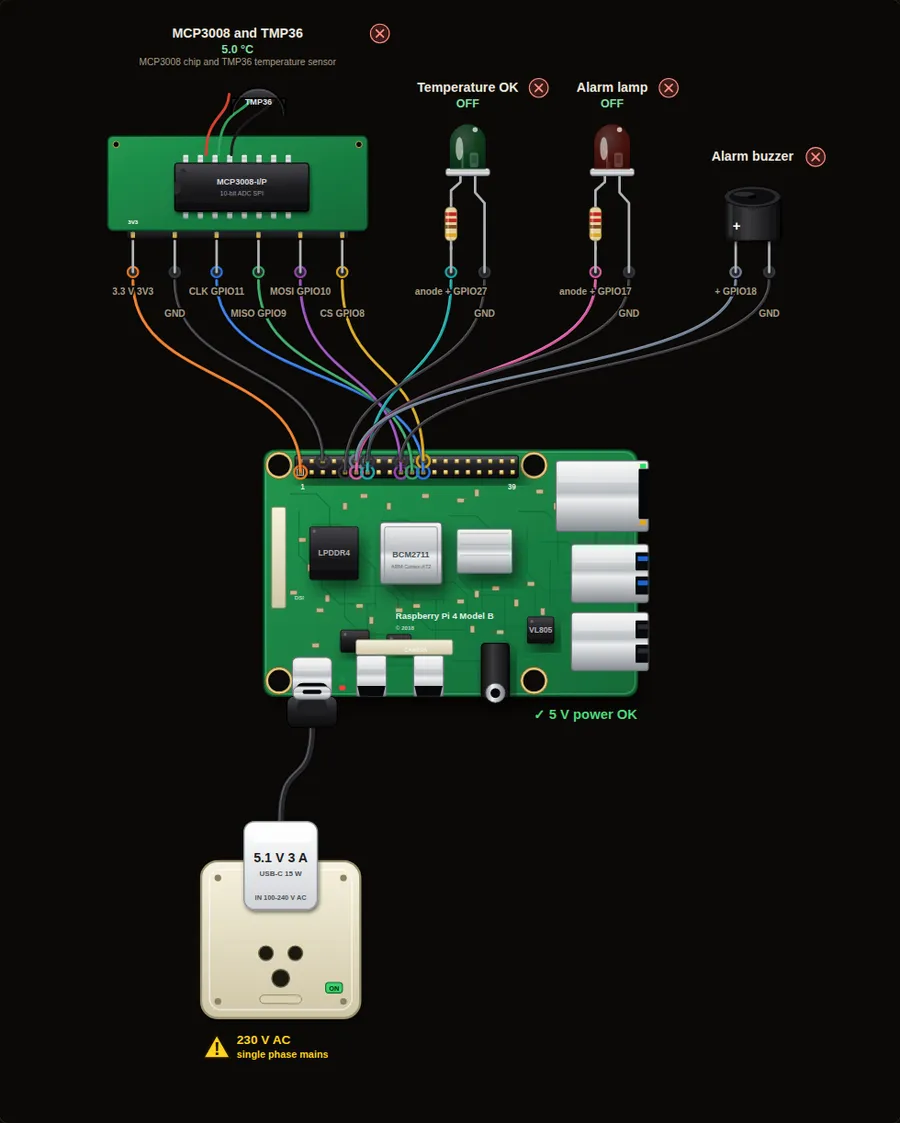 Intermediate43. Cold-room temperature alarmA cold store keeps fruit and vegetables fresh. If the temperature stays above 8 degrees for 5 readings in a row, a red lamp and a buzzer raise the alarm.Open project →
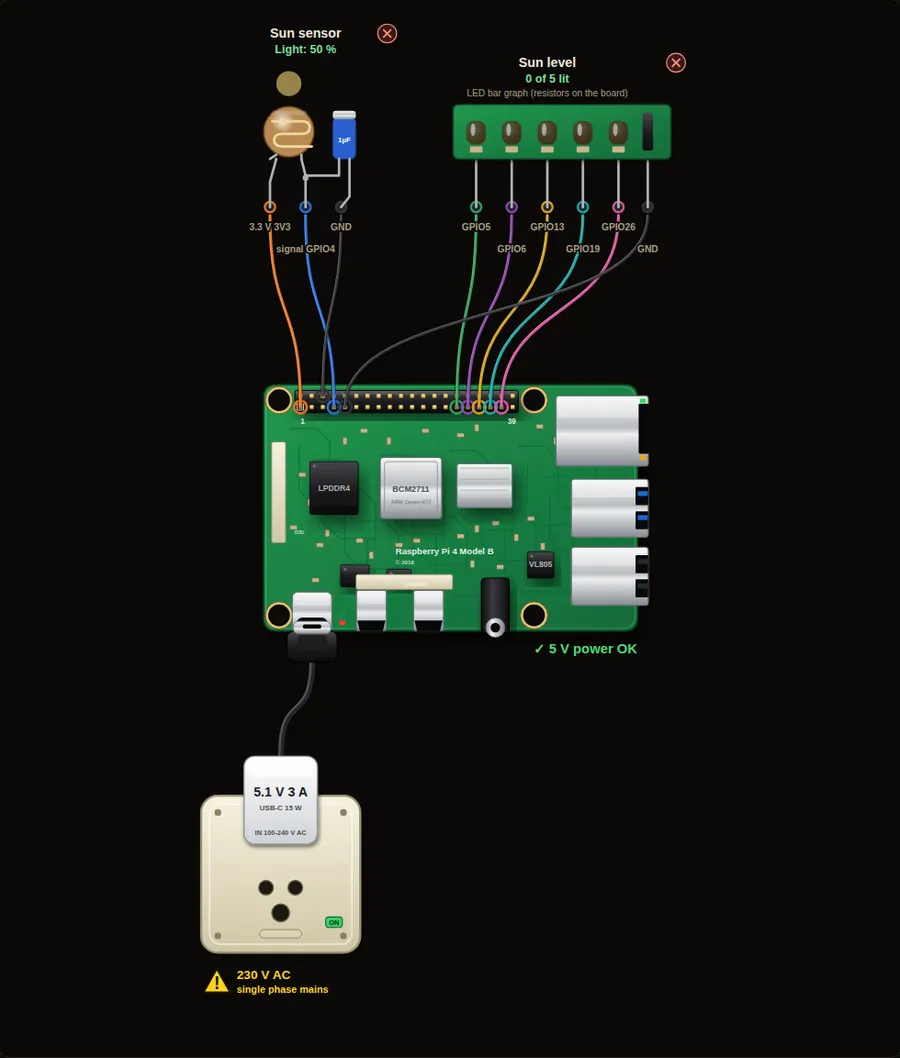 Beginner44. Sunshine meter with an LED barOne LDR measures the daylight. The LED bar shows how sunny it is, from one LED (dark) to five (bright). Useful for choosing the best place for a solar panel or plants.Open project →
The 40-pin header is how a Raspberry Pi talks to the world. Most pins are general purpose inputs and outputs (GPIO). A few give power, and a few have special jobs.
Two numbering systems
Code uses the GPIO number (BCM), for example GPIO17. The pin position on the header is called the physical pin, and GPIO17 sits at physical pin 11. The simulator tables show both. Use GPIO numbers in code unless a tutorial says otherwise.
3.3 V logic, small current
Every GPIO pin works at 3.3 V and can give only a few milliamps. Never connect 5 V to a GPIO pin. Drive motors, relays and buzzers through a transistor or a driver board, and give LEDs a resistor.
Special jobs
GPIO2 and 3 are I2C, GPIO14 and 15 are the serial port, GPIO9, 10, 11 and 8 are SPI, and GPIO12, 13, 18 and 19 can make hardware PWM. Use the other pins first while you learn.
gpiozero is the friendly library that comes with Raspberry Pi OS. Each part is an object, and you tell it what to do. These are the parts you meet in the 24 projects.
| Object | What it is | Use it like this |
|---|---|---|
| LED(17) | An LED on GPIO17 | led.on() led.off() led.toggle() led.blink() |
| PWMLED(18) | An LED you can dim | led.value = 0.5 led.pulse() |
| Buzzer(18) | An active buzzer | buzzer.on() buzzer.off() buzzer.beep(0.2, 0.2) |
| Button(27) | A pushbutton to GND | button.is_pressed button.when_pressed = fn button.wait_for_press() |
| MotionSensor(4) | A PIR sensor | pir.motion_detected pir.wait_for_motion() |
| DistanceSensor(echo=24, trigger=23) | An HC-SR04 ultrasonic sensor | sensor.distance in metres, sensor.in_range |
| LightSensor(4) | An LDR with a capacitor | ldr.value from 0 to 1, ldr.when_dark = fn |
| MCP3008(channel=0) | An 8-channel analog to digital chip | adc.value from 0 to 1, adc.voltage |
| AngularServo(17) | A hobby servo | servo.angle = 45 |
| Motor(5, 6, enable=12) | A DC motor on an H-bridge | motor.forward() motor.backward(0.5) motor.stop() |
| OutputDevice(17, active_high=False) | Any on-off output, such as a relay board that switches ON when the pin is LOW | relay.on() relay.off() relay.toggle() relay.value |
| LEDBarGraph(5, 6, 13, 19, 26) | Several LEDs as a bar | bar.value = 0.6 |
Reading the ladder view
Some projects show a ladder diagram, the language PLCs use. Two vertical rails are the power. A contact | | passes power when its input is on. A slashed contact is normally closed (NC) and passes power when its input is off. Contacts side by side are OR, in a row are AND. The coil ( ) at the right is the output. Green means power flows.
The older RPi.GPIO library works too. Projects 1, 2, 3 and 7 have an RPi.GPIO version: choose it above the editor.
The same code runs on a real board. Wire it, copy it, run it.
1 · Set up the Pi
Write Raspberry Pi OS to a card with Raspberry Pi Imager and boot the board. Python, Thonny (the editor) and gpiozero are already installed.
2 · Wire with the power off
Use the Pins and Wires tables on this page. Fit the resistors. Check every wire against the pin position before you power the Pi, and never connect 5 V to a GPIO pin.
3 · Paste and run
Open Thonny, paste the code, press Run. Press Stop to end it. For the temperature project, switch on SPI first (sudo raspi-config, Interface Options).
What the simulator does not do
Machine safety
The industrial projects only show signalling and logic. A real emergency stop must be hard-wired through safety-rated contacts and relays and must never depend on software. Use a PLC and certified safety parts for any machine that can hurt someone.
Mains safety
The home automation projects switch lamps, fans and pumps through a relay. Real mains wiring (120 V or 230 V) can kill. Practise with low-voltage loads, use rated relay modules in an enclosure, and have a qualified electrician do any mains work.
Not simulated
Displays, I2C and UART devices, networking, files, and the Pi operating system. Only the parts shown in the 47 projects exist. The camera is simulated: it looks at a small drawn room, not the real world, and its pictures are tiny.
Python differences
Programs run one at a time. Threads and multiprocessing are not supported. Code that waits (sleep, wait_for_press, pause) is handled for you, so the page never freezes.
Timing and noise
Timing follows your browser clock and is only approximate. Real sensors give noisy values, real buttons bounce, and real motors and servos need their own supply. Treat the simulator as practice, not a test of your circuit.